
Have you ever wondered how your fitness app knows exactly how many steps you take each day? It feels almost magical, right?
But behind that simple number is a smart technology working quietly on your phone or watch. Understanding how your app tracks steps can help you trust the data more and even motivate you to move more. Stick with me, and you’ll discover the secrets behind step tracking that can change the way you see your daily activity.
Ready to unlock the mystery? Let’s dive in!

Credit: www.youtube.com
Step Counting Technology
Step counting technology powers fitness apps by measuring your movement throughout the day. It captures data using built-in sensors in smartphones or wearable devices. These sensors detect motion patterns that match walking or running steps. The technology filters out false signals from random movements. It ensures accurate step counting to help track your daily activity goals.
Sensors Behind Step Tracking
Step tracking relies on multiple sensors working together. The main ones include accelerometers, gyroscopes, and GPS modules. These sensors collect data about your body’s position and movement. They send this information to the app, which processes it to count steps. Combining sensor data improves accuracy and reduces errors.
Accelerometer Functionality
The accelerometer measures acceleration forces in three directions: x, y, and z. It detects changes in speed and direction caused by your steps. Each step creates a unique movement pattern that the accelerometer picks up. The app analyzes this pattern to count steps and distance. This sensor works even when GPS signals are weak or unavailable.
Gyroscope Role
The gyroscope tracks rotational movements of your device. It helps distinguish between walking, running, or other motions. This sensor adds detail to the step counting process. It ensures the app only counts genuine steps, not random arm swings. The gyroscope improves the reliability of step data.
Gps Integration
GPS tracks your location and movement over larger distances. It measures how far you travel outdoors. This data complements sensor readings to refine step count and distance. GPS is useful for running or walking routes. It works best in open areas with clear satellite signals.
Data Processing Methods
Understanding how a fitness app tracks your steps starts with looking at the data processing methods it uses. The raw data collected from your phone’s sensors needs careful handling to turn random movements into accurate step counts. This involves filtering noise, detecting real steps, and managing false signals that can throw off the count.
Signal Filtering Techniques
Your phone’s accelerometer generates a lot of raw data, much of which isn’t related to walking or running. Signal filtering techniques help clean this data by removing vibrations and sudden jerks that don’t represent steps.
Common filters like low-pass filters smooth out rapid spikes, while high-pass filters eliminate slow changes, isolating the frequency range typical for walking movements. This step is crucial because without it, your step count could be wildly inaccurate.
Step Detection Algorithms
Once the signal is filtered, the app uses step detection algorithms to identify patterns that match the motion of walking or running. These algorithms analyze changes in acceleration and orientation to pinpoint when a step happens.
Some apps rely on threshold-based detection—counting a step when the acceleration crosses a specific limit. Others use machine learning models trained on large datasets to recognize steps more accurately across different walking styles and speeds.
Handling False Positives
False positives occur when the app mistakes other movements for steps, like shaking your phone or riding in a car on a bumpy road. To handle this, fitness apps use contextual checks, such as verifying consistent step patterns over time or combining data from multiple sensors like the gyroscope.
Have you ever noticed your step count rising even when you’re sitting still? That’s exactly why these checks matter. They ensure the app only counts genuine steps, keeping your fitness tracking reliable and meaningful.
Accuracy Factors
Understanding the accuracy factors behind how fitness apps track your steps can help you get the most reliable data. Several elements influence the precision of step counting, and being aware of them empowers you to adjust your habits or device setup for better results. Let’s break down the main contributors to step count accuracy.
Device Placement Impact
Where you wear your device matters a lot. A wrist-worn tracker might record extra steps when you’re gesturing or typing, while a device clipped to your waist can offer a more stable reading.
If you carry your phone in a bag or loose pocket, the app might miss some movements entirely. Think about how you move daily—does your device stay steady or shift around? Small changes in placement can cause big differences in step counts.
User Movement Patterns
Not all movements are equal. Walking with a steady, regular pace is easier for apps to detect than irregular or slow movements. Activities like pushing a shopping cart or walking while holding something might confuse the sensors.
Have you noticed your step count is lower on days when you do a lot of household chores? That’s because some apps struggle to register non-walking motions as steps. Paying attention to how you move can help you understand when your step count might be less accurate.
Environmental Influences
External factors like terrain and weather can also affect step tracking. Walking uphill or on uneven surfaces might change your gait and the way your device senses movement.
Cold weather can make you wear bulkier clothes or gloves, which might interfere with sensor sensitivity, especially if you’re using a wrist device. Have you ever noticed your step count drop on a chilly day? That might be why.

Credit: www.reddit.com
Syncing And Data Storage
Syncing and data storage are key for fitness apps to track steps accurately. These apps collect step data from your device sensors and update it across platforms. This process makes sure users can view their progress anytime on any device.
Real-time Data Syncing
Fitness apps use real-time syncing to update step counts instantly. Your phone or wearable sends step data to the app continuously. This allows you to see your steps right after you take them. Real-time syncing keeps your activity data fresh and accurate.
Cloud Storage Benefits
Step data gets stored safely in the cloud. Cloud storage means your data is saved on remote servers, not just on your device. This helps to:
- Access your step history from multiple devices
- Recover data if you lose or change your device
- Save space on your phone or wearable
Cloud storage supports smooth syncing and long-term data keeping.
Privacy And Security
Fitness apps protect your step data with strong privacy measures. Data is encrypted during syncing and storage. Many apps follow strict rules to keep your information safe. This stops unauthorized access and ensures your data stays private.
User Engagement Features
Fitness apps don’t just count your steps; they keep you motivated and engaged through smart features designed around your daily habits. These user engagement tools help you stay on track, celebrate your wins, and even connect with others who share your fitness journey. Think of them as your personal cheerleaders and coaches rolled into one app.
Goal Setting And Tracking
Setting clear, achievable goals is the first step to staying motivated. Fitness apps let you customize your daily step targets based on your lifestyle and fitness level.
As you hit those goals, the app tracks your progress and sends timely reminders or encouragement. This keeps you accountable without feeling overwhelmed.
Imagine how satisfying it feels when you see the app congratulate you for reaching your daily target. That little boost can push you to go the extra mile.
Social Sharing Options
Sharing your achievements with friends adds a social layer to your fitness routine. Many apps allow you to post your step count or badges directly to social media or within the app community.
This creates a friendly competition or support system that encourages you to keep moving. Have you noticed how sharing a small win can inspire others and yourself?
Some apps even let you join challenges or groups, making your step tracking a shared experience rather than a solo task.
Progress Visualization
Numbers alone can be boring, but visual progress makes your efforts tangible. Fitness apps use charts, graphs, and colorful badges to show how far you’ve come over days, weeks, or months.
Seeing a steady upward trend can be incredibly motivating, especially on days when you feel less energetic. It answers the question: “Is my effort really making a difference?”
These visuals help you spot patterns too—like what time of day you’re most active—so you can adjust your routine for even better results.
Common Challenges
Fitness apps track steps using sensors and algorithms. These apps face several challenges that affect accuracy and user experience. Understanding these issues helps users choose the right app and set realistic expectations.
Battery Consumption
Step tracking uses sensors like accelerometers continuously. This constant sensor use drains the device battery faster. Users may notice their phones or wearables need frequent charging. Apps try to balance tracking accuracy and battery life. Some offer settings to reduce battery use by lowering sensor frequency.
Inconsistent Step Counts
Step counts can vary between devices and apps. Different algorithms interpret motion data in unique ways. Small movements like hand gestures may register as steps. Walking speed and style also affect counting accuracy. This inconsistency can confuse users tracking progress over time.
Device Compatibility
Not all fitness apps work on every device. Older phones or wearables may lack necessary sensors. Operating system versions influence app performance. Some apps need specific hardware features to track steps. Users must check app requirements before downloading.
Future Trends
The future of fitness apps looks exciting with many new features ahead. These apps will not only count steps but also provide deeper insights into health and activity. Technology is evolving fast to make fitness tracking smarter and more accurate.
Ai And Machine Learning Integration
Fitness apps will use AI to better understand your movements. Machine learning will help apps learn your habits and improve step counting. This technology will reduce errors and adapt to different walking styles. AI will also suggest personalized goals based on your data.
Wearable Innovations
New wearables will track steps more precisely. Lightweight and flexible devices will make tracking comfortable. Some wearables will combine step counting with other sensors to monitor overall fitness. Expect longer battery life and better syncing with apps on your phone.
Enhanced Health Metrics
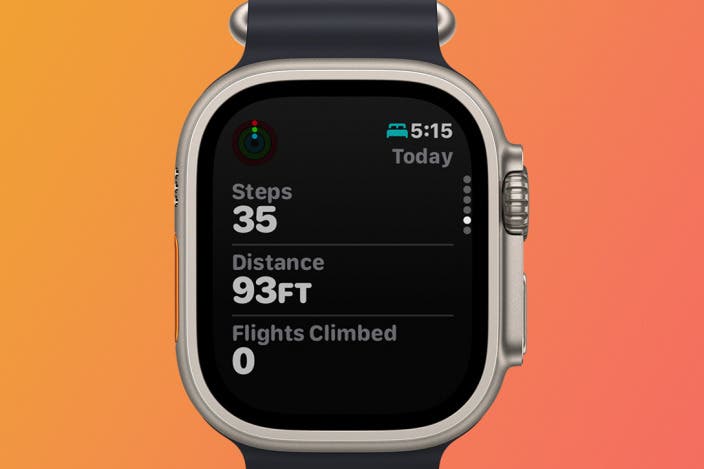
Step tracking will link to other health data like heart rate and sleep. Apps will show how steps affect your wellness and energy levels. These metrics will help users see the full picture of their health. Fitness apps will offer simple advice to improve daily activity and well-being.
Credit: www.iphonelife.com
Frequently Asked Questions
How Do Fitness Apps Count Steps Accurately?
Fitness apps use sensors like accelerometers and gyroscopes in your phone or wearable devices. These sensors detect motion and changes in speed. By analyzing this data, the app distinguishes between walking, running, and other activities. This technology helps ensure accurate step counting.
Can Fitness Apps Track Steps Without Internet?
Yes, most fitness apps can track steps without an internet connection. They use your device’s built-in sensors to monitor movement. The data is stored locally and can be synced once you reconnect to the internet, ensuring accurate step tracking regardless of connectivity.
Do All Fitness Apps Require A Wearable Device?
No, not all fitness apps need a wearable device. Many apps use your smartphone’s sensors to track steps. However, using a wearable can provide more accurate data and additional health metrics, enhancing your overall fitness tracking experience.
How Do Fitness Apps Differentiate Between Activities?
Fitness apps use advanced algorithms to differentiate activities by analyzing movement patterns. They assess speed, direction, and intensity to categorize activities. This helps determine whether you’re walking, running, or cycling, ensuring accurate activity tracking and personalized fitness insights.
Conclusion
Fitness apps track steps using sensors inside your phone or watch. These sensors count your movements throughout the day. The app then shows your total steps on a simple screen. This helps you see how active you are. Tracking steps can motivate you to walk more each day.
It’s an easy way to keep track of your health. Understanding how step tracking works makes using the app clearer. Try using a fitness app to stay moving and feel better. Small steps can lead to big health changes.