
Imagine a world where your ring can do more than just sparkle on your finger. Smart rings are revolutionizing how you interact with technology, offering features like fitness tracking, contactless payments, and even phone notifications.
But how do you get started with this tiny piece of tech magic? If you’re feeling a bit overwhelmed, don’t worry. You’re about to discover how simple it is to connect your smart ring and unlock its full potential. Whether you’re tech-savvy or a newcomer to wearable technology, this guide will walk you through each step with ease.
Get ready to transform your everyday routine with just a tap of your finger. Keep reading to find out how to seamlessly integrate this smart accessory into your life and make the most of its capabilities.

Credit: www.youtube.com
Choosing The Right Smart Ring
Choosing the right smart ring is crucial to ensure a smooth connection and a satisfying user experience. Your choice impacts not only how well the ring syncs with your devices but also how effectively it meets your lifestyle needs. Let’s look at what really matters when picking a smart ring.
Compatibility With Devices
Not all smart rings work seamlessly with every device. You need to check if the ring supports your smartphone’s operating system—whether it’s iOS or Android.
Some rings require specific apps or Bluetooth versions to connect properly. Imagine buying a smart ring only to find out it won’t link with your phone. That’s a frustrating setback you can easily avoid by double-checking compatibility first.
Features To Consider
Think about what you want your smart ring to do. Some rings focus on health tracking, like heart rate and sleep monitoring, while others offer contactless payments or notification alerts.
Ask yourself: Do you need a ring with waterproof features for active days? Or maybe one with a long battery life to avoid frequent charging? Prioritize features that fit your daily routine to get the most value.
Budget And Brand Options
Smart rings come in a wide price range—from affordable models under $100 to premium options costing several hundred dollars. Setting a clear budget helps narrow your choices.
Brands also matter. Established companies often provide better customer support and reliable updates. However, newer brands might offer innovative features at a lower price. Which would you prefer—trusted reliability or cutting-edge technology?

Credit: www.youtube.com
Preparing Your Devices
Preparing your devices is the first step to connect a smart ring smoothly. Ensuring your ring and smartphone are ready makes the process quick and easy. This section covers three key tasks: charging the smart ring, enabling Bluetooth on your phone, and installing the required apps.
Charging The Smart Ring
Start by fully charging your smart ring. A low battery can interrupt the connection process. Use the charger that came with your ring. Place the ring carefully on the charger and wait until the battery is full. This step ensures the ring has enough power for setup and daily use.
Enabling Bluetooth
Bluetooth must be turned on to connect your smart ring to your phone. Open your phone’s settings and find the Bluetooth option. Switch it on and keep the device nearby. This allows the ring and phone to find each other and communicate.
Installing Required Apps
Your smart ring needs a specific app to work properly. Visit your phone’s app store and search for the app by the ring’s brand. Download and install it. Open the app and follow any setup instructions. The app helps you control the ring and see its data clearly.
Step-by-step Pairing Process
Connecting a smart ring to your device is simple when you follow the right steps. The pairing process ensures your ring works smoothly with your phone or tablet. This guide walks you through each stage to make the connection fast and easy.
Activating Pairing Mode
Start by turning on your smart ring. Most rings enter pairing mode automatically when switched on for the first time.
If not, press and hold the button on the ring for a few seconds. Watch for a blinking light or vibration, signaling that pairing mode is active.
Finding The Ring On Your Device
Open the Bluetooth settings on your smartphone or tablet. Ensure Bluetooth is enabled.
Look for the name of your smart ring in the list of available devices. It may show as the brand or model number.
Select the ring’s name to begin connecting. Your device will start communicating with the ring immediately.
Completing The Connection
Follow any on-screen prompts to finalize pairing. Sometimes, you may need to enter a code shown on the ring or device.
Once connected, your device will confirm the successful link. The ring is ready to use for tracking or notifications.
Keep the ring close during pairing to avoid connection issues.
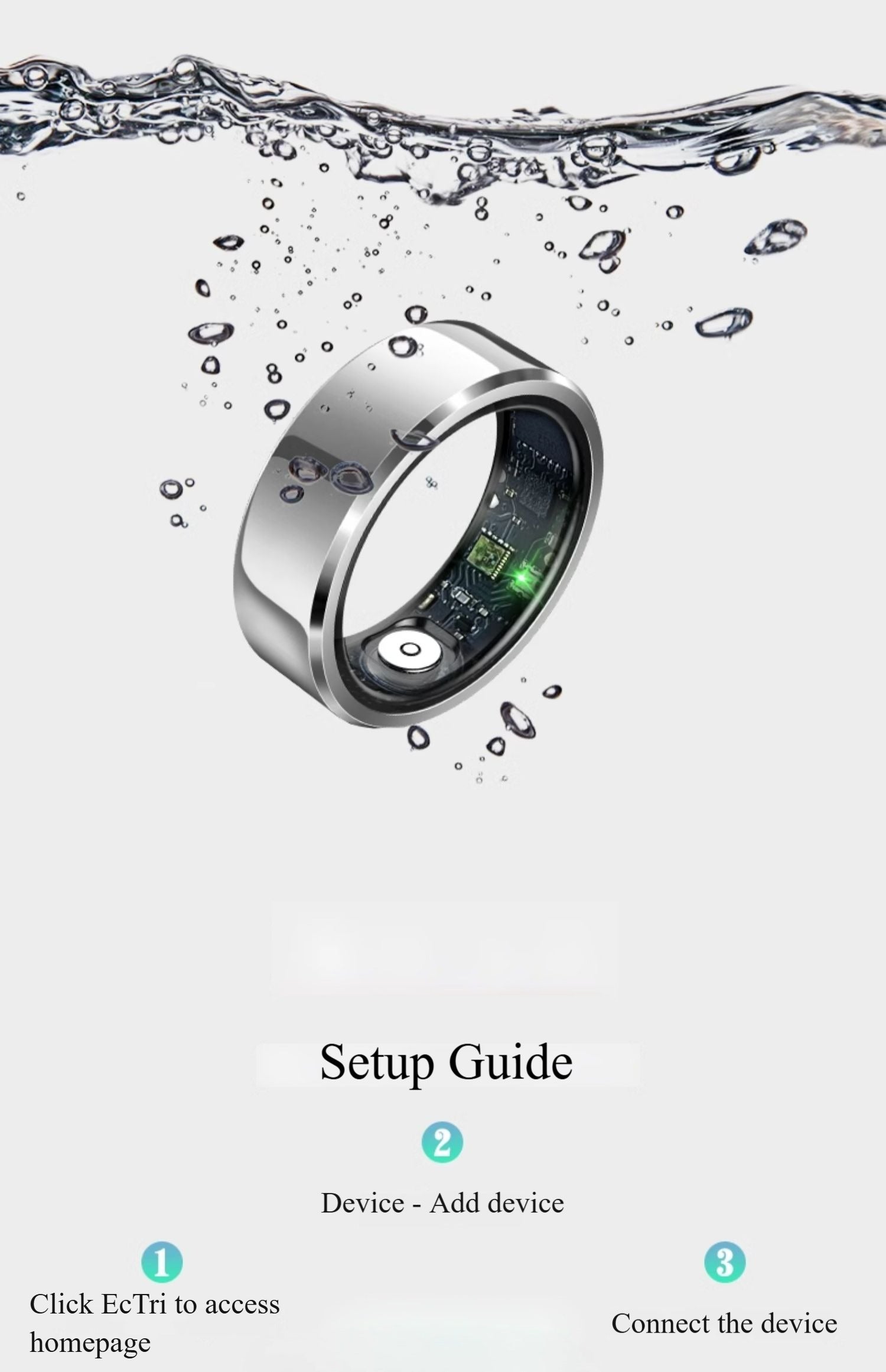
Credit: lumor.ca
Troubleshooting Connection Issues
Connection issues with your smart ring can be frustrating. These problems often arise from pairing errors, software glitches, or app malfunctions. Knowing how to troubleshoot helps you restore the connection quickly.
Common Pairing Problems
Smart rings may fail to pair due to low battery or being out of range. Bluetooth interference from other devices can also block connection. Sometimes, the ring is already paired with another device. Ensure the ring is charged and close to your phone. Turn off Bluetooth on other devices nearby. Forget the ring in your phone’s Bluetooth settings before trying again.
Resetting The Smart Ring
Resetting the smart ring clears temporary issues. This action restores the ring to its original settings. Usually, a reset involves pressing and holding a button on the ring. Check the user manual for exact steps. After resetting, reattempt pairing with your phone. This can fix hidden software errors causing connection problems.
Reinstalling The App
App problems often cause connection failures. Uninstalling and reinstalling the app can fix bugs. Delete the app from your phone. Restart your phone to clear memory. Download the latest app version from the app store. Log in and try to connect the smart ring again. This refreshes the app and helps it communicate with the ring properly.
Maximizing Smart Ring Use
Getting the most out of your smart ring means tailoring its features to fit your lifestyle and ensuring it works seamlessly with your other tech. Small tweaks in settings and smart syncing can transform your experience from basic to highly efficient. Plus, keeping an eye on battery life helps avoid those inconvenient moments when your ring runs out of power unexpectedly.
Customizing Settings
Your smart ring often comes with a companion app that lets you personalize alerts, notifications, and tracking preferences. Adjust vibration intensity or choose which notifications you want to receive directly on your ring. I once turned off non-essential alerts, which saved me from constant buzzing and made the important notifications stand out more clearly.
Think about what matters most during your day. Would you prefer health data updates or message notifications? Tailoring these settings ensures the ring serves your priorities without overwhelming you.
Syncing With Other Devices
Connecting your smart ring with your smartphone or fitness tracker amplifies its usefulness. Make sure the Bluetooth connection is stable and check for compatibility with your operating system. I found syncing with my phone’s health app helped me see all my activity data in one place, making it easier to track progress over time.
Consider syncing with your calendar or music apps for hands-free control. Could your smart ring replace some phone interactions and simplify your routine?
Maintaining Battery Life
Smart rings have compact batteries, so efficient use is key. Turn off features you don’t need, like constant heart rate monitoring, if it’s not critical for you. Charging your ring every few days rather than letting it drain completely can extend battery health.
Try setting reminders to charge your ring during regular downtime, like while you’re showering or working at your desk. Have you noticed any habits that drain your smart ring’s battery faster? Adjusting usage patterns can make a big difference.
Frequently Asked Questions
How Do I Pair A Smart Ring With My Phone?
To pair your smart ring, turn on Bluetooth on your phone. Open the ring’s app and follow the pairing instructions. Ensure the ring is charged and close to your device for a stable connection.
Can I Connect A Smart Ring To Multiple Devices?
Most smart rings connect to one device at a time for accuracy. However, some models allow switching between devices through the app. Check your ring’s specifications for multi-device compatibility.
What App Is Needed To Connect A Smart Ring?
Smart rings usually require a dedicated app from the manufacturer. Download it from the App Store or Google Play. The app manages settings, syncs data, and updates your smart ring firmware.
Why Won’t My Smart Ring Connect To Bluetooth?
Connection issues may arise from low battery or Bluetooth being off. Restart your phone and ring, then try pairing again. Also, ensure the app has necessary permissions enabled.
Conclusion
Connecting a smart ring is easier than it seems. Follow the simple steps carefully. Make sure your device supports the ring. Keep Bluetooth turned on for smooth pairing. Check for updates to avoid connection issues. Once connected, enjoy hands-free control and quick access.
This small device can make daily tasks simpler. Try it out and see the difference yourself. Stay patient if it takes a few tries. The smart ring will soon become part of your routine. Enjoy the convenience it brings to your life.