
Imagine sitting at your desk, ready to dive into your favorite movie, finish an important project, or simply catch up with friends online. What do you rely on to bring all these experiences to life?
Your computer monitor. It’s more than just a screen; it’s the gateway to your digital world. But what exactly is a computer monitor, and how does it serve as your window to endless possibilities? You’ll discover the essential role a computer monitor plays in your daily life.
You’ll understand its functions and why choosing the right one can enhance your computing experience. From the vibrant colors that captivate your senses to the crisp details that aid your productivity, a monitor is a crucial component of your tech setup. Ready to unlock the secrets behind this indispensable device? Let’s dive in and explore what makes a computer monitor so vital to your digital adventures.

Credit: www.youtube.com
Computer Monitor Basics
Understanding the basics of a computer monitor is essential whether you’re setting up a new workspace, or just looking to upgrade. The monitor is more than just a screen; it’s the window through which you view everything your computer has to offer. Having the right monitor can enhance your productivity, improve your gaming experience, and even protect your eyes. But what exactly makes a monitor suitable for your needs?
Definition And Purpose
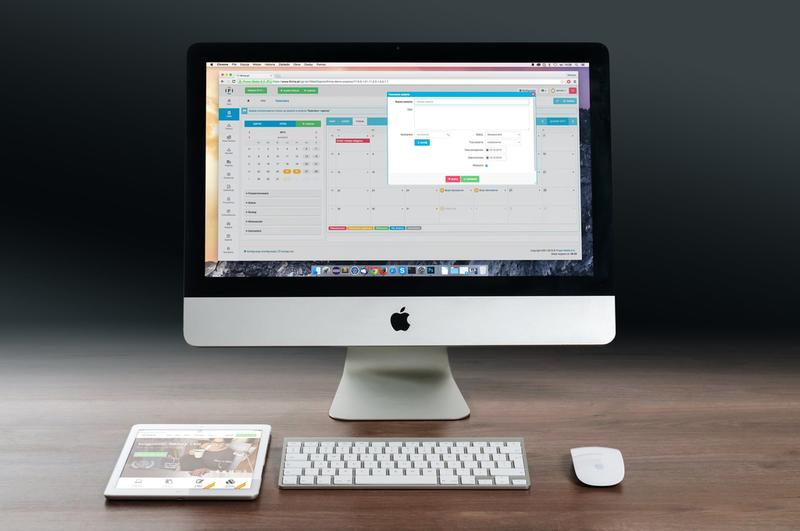
A computer monitor is an electronic device that displays visual output from your computer. It’s essentially the interface that translates digital signals into visuals you can interact with. Think about the last time you watched a movie or edited a document; your experience was shaped by the quality of your monitor.
Monitors come in various sizes and resolutions, directly influencing how sharp and clear images appear. A higher resolution means more pixels and clearer images. The purpose of a monitor is not just to display content but to do so in a way that aligns with your specific needs, whether it be gaming, design, or everyday tasks.
Types Of Monitors
There are several types of monitors, each with its own unique features and benefits. LCD (Liquid Crystal Display)monitors are popular for their energy efficiency and slim designs. They’re great for general use and offer a good balance between price and performance.
For those who value color accuracy and wide viewing angles, IPS (In-Plane Switching)monitors are ideal. They are often used by graphic designers and photographers. On the other hand, gamers might prefer TN (Twisted Nematic)monitors for their fast response times, despite their narrower viewing angles.
Curved monitors are gaining popularity for their immersive experience, while ultra-wide monitors can replace dual-screen setups. Have you ever considered how a monitor’s type could affect your daily activities? Choosing the right type can make a significant difference in your overall experience.
Choosing the right monitor is more than just a technical decision; it’s a personal one that affects how you work and play. So, next time you’re in the market for a new monitor, consider what you truly need from it.
Display Technologies
Display technologies have transformed how we view digital content. Today, monitors use advanced technologies for clear and vibrant visuals. Understanding these technologies helps in choosing the right monitor for your needs. Let’s explore some popular display technologies used in modern computer monitors.
Lcd
LCD stands for Liquid Crystal Display. It uses a liquid crystal solution between two glass plates. Light passes through this solution to create images. LCD monitors are known for their energy efficiency. They provide good picture quality with less power consumption. Suitable for general use in homes and offices.
Led
LED stands for Light Emitting Diode. An LED monitor is a type of LCD monitor. It uses LED backlighting instead of fluorescent. This improves brightness and color accuracy. LED monitors are thinner and lighter. They offer better contrast and vibrant colors. Ideal for gaming and multimedia viewing.
Oled
OLED stands for Organic Light Emitting Diode. It uses organic compounds that emit light when an electric current passes through. OLED monitors provide deeper blacks and better contrast. Each pixel emits its own light, enhancing image quality. Known for excellent viewing angles and fast response times. Perfect for high-end displays.
Monitor Features
When you’re choosing a computer monitor, it’s essential to understand the features that can significantly impact your viewing experience. Whether you’re a gamer, designer, or someone who just loves binge-watching series, monitor features play a crucial role in enhancing what you see on the screen. Let’s dive into some key aspects to consider.
Resolution
Resolution is like the DNA of your monitor’s display quality. It determines how clear and detailed the images appear. A higher resolution means more pixels, resulting in sharper visuals. Imagine watching your favorite movie in 4K—every scene becomes breathtakingly vivid. But do you really need 4K for your everyday tasks? If you mostly browse the internet or work on documents, a Full HD resolution might suffice. Think about your daily usage to decide the best resolution for you.
Refresh Rate
Have you ever noticed a lag or stutter during fast-paced gaming or action scenes? That’s where refresh rate comes in. Measured in Hertz (Hz), it tells you how many times the screen updates per second. A higher refresh rate, like 144Hz, ensures smoother motion and less blurring. Gamers swear by high refresh rates for a competitive edge. But if you’re only watching videos or working, a standard 60Hz might be all you need. Consider how much motion matters to your experience.
Aspect Ratio
Aspect ratio shapes the way you see content. It’s the width-to-height ratio of your screen. The common 16:9 is perfect for movies and general computing tasks. But have you tried an ultrawide monitor with a 21:9 ratio? It offers an immersive experience, ideal for multitasking or gaming. Picture yourself working with multiple windows open side by side—no need for multiple monitors. Think about how you use your screen space and whether a different aspect ratio could enhance your productivity.
Choosing the right monitor features can transform your digital experience. What matters most to you—clarity, speed, or space? As you decide, remember that each feature can change how you see the digital world. How will you make your choice?
Connectivity Options
When it comes to computer monitors, connectivity options are crucial. They determine how you can link your monitor to your computer and other devices. Whether you’re a gamer, a graphic designer, or just someone who loves watching movies on a larger screen, understanding these options can enhance your experience.
Hdmi
HDMI, or High-Definition Multimedia Interface, is a popular choice for many users. It offers high-quality video and audio transfer through a single cable. This makes setup simple and efficient. Have you ever wanted to connect your laptop to a TV for movie night? HDMI is your best friend. It’s widely used and most modern devices support it. Does your monitor have an HDMI port?
Displayport
DisplayPort is another great option, particularly for those who need high-performance graphics. It supports higher resolutions and refresh rates compared to HDMI. This makes it ideal for gaming and professional tasks that demand precision. DisplayPort can also daisy-chain multiple monitors, perfect for multitasking. Ever tried working with two screens? DisplayPort makes it seamless.
Vga
VGA, or Video Graphics Array, is an older connectivity standard. Despite its age, it’s still found on many monitors. VGA only transmits video signals, so you’ll need separate cables for audio. It’s not the best for high-definition graphics, but it’s reliable for basic tasks. Remember those old school projectors in classrooms? They often use VGA connections. Is your monitor still sporting a VGA port?
Each connectivity option has its strengths. Choosing the right one can greatly impact your computing experience. Consider what you need: simplicity, high performance, or basic functionality? The right choice can make all the difference.
Functions Of A Monitor
The monitor is more than just a screen you stare at every day. It serves several vital functions that enhance your computing experience. Understanding these functions can help you choose the right monitor for your needs and make the most of your device.
Visual Output
At its core, a monitor’s primary function is to display visual output from your computer. This includes everything from the desktop background to the latest blockbuster movie. The quality of this output can vary greatly depending on the monitor’s resolution, refresh rate, and color accuracy.
Higher resolutions like 4K offer crisp and clear images, making your favorite movies and games come alive. Have you ever noticed how a better monitor can make even mundane tasks feel more enjoyable? It’s all about those vibrant colors and sharp details.
User Interface Interaction
Monitors also serve as a bridge between you and your computer’s user interface. They display the graphical user interface (GUI) that allows you to interact with your software applications. Whether you’re editing a document, browsing the web, or playing a game, the monitor displays the necessary information for you to engage with the program.
Consider how frustrating it would be to use a computer without a clear display. A good monitor enhances your interaction, making tasks quicker and more intuitive. Have you ever upgraded your monitor and felt your productivity soar? That’s the power of a good display.
Multi-tasking Support
Modern monitors are designed to support multi-tasking, enabling you to work more efficiently. This can include features like picture-in-picture, split-screen, or the ability to connect multiple devices simultaneously.
Imagine having a spreadsheet on one side of the screen while video conferencing on the other. A monitor with multi-tasking capabilities can turn this into a reality. Does your current monitor allow you to juggle tasks seamlessly, or are you ready for an upgrade?
Ultimately, the monitor is a crucial component of your computing setup. It influences how you see and interact with your digital world. So, the next time you consider upgrading, remember the functions that matter most to you.
Choosing The Right Monitor
A computer monitor displays images and text from your computer. It helps you see what’s happening on your device. Monitors come in different sizes and types, like LCD or LED. Choosing the right one improves your viewing experience, whether for work, gaming, or watching videos.
Choosing the right monitor can transform your computing experience. Whether you’re diving into the latest video games, working on professional projects, or just browsing the web, selecting the right display is crucial. The wrong choice can lead to frustration and wasted money. But how do you know which monitor fits your needs? Let’s break it down.
Considerations For Gaming
Gamers need speed and clarity. A monitor with a high refresh rate, like 144Hz or even 240Hz, ensures smooth visuals. Look for low response times, around 1ms, to avoid blurring during fast-paced action. Resolution matters too. A 1080p display might be sufficient, but a 1440p or 4K monitor can make graphics pop. Do you have the space for a larger screen or the budget for better resolution? Don’t forget the importance of adaptive sync technologies like G-Sync or FreeSync. These prevent screen tearing and stuttering, making your gaming experience seamless.
Factors For Professional Use
Professionals need precision. Graphic designers and video editors should prioritize color accuracy and resolution. A monitor with wide color gamut support and at least 4K resolution can make a world of difference. Consider ergonomics. Adjustable stands and VESA mount compatibility help you tailor your setup. How does your monitor stand up to long hours of work? Connectivity is key. Multiple ports, like HDMI, DisplayPort, and USB-C, offer flexibility for different devices and workflows.
Everyday Use Criteria
For everyday tasks, comfort and simplicity matter. A monitor with eye care features like blue light filters can reduce strain from prolonged use. Size matters, but it’s more about your space. A 24 to 27-inch monitor is often ideal for casual users. Is your desk set up to accommodate your monitor comfortably? Look at your budget. You don’t need a top-tier monitor for browsing or watching videos. Affordable models can still offer great performance for daily tasks. Choosing the right monitor might seem daunting, but it’s about matching your needs to the features available. What are your priorities, and how does your monitor fulfill them?
Future Trends In Monitor Technology
As we stand at the cusp of technological evolution, computer monitors are not just about displaying images—they’re about redefining how we interact with digital content. Future trends in monitor technology promise to enhance your visual experience, making it more immersive, interactive, and intuitive. Whether you’re a gamer seeking the ultimate thrill or a professional striving for precision, these advancements are set to reshape your digital landscape. Let’s dive into what the future holds for computer monitors.
Advancements In Resolution
The quest for sharper, more detailed images is ongoing. High-resolution monitors are becoming increasingly common, pushing the boundaries with 8K and beyond. Imagine viewing your favorite movie with such clarity that you feel part of the scene. Such advancements will not only enrich entertainment but also aid professionals in fields like graphic design and video editing, where precision is paramount.
Consider the impact on gaming. Ultra-high resolution can elevate your experience, allowing you to see every detail in your virtual world. Would you be prepared to upgrade your setup to embrace these vivid visuals?
Emerging Connectivity Standards
Connectivity is evolving to match the pace of technological progress. Standards like HDMI 2.1 and USB-C are becoming prevalent, offering faster data transfer and better compatibility. These connectors allow for smoother video playback and quicker device syncing, enhancing productivity.
Think about your home office setup. With emerging standards, you can reduce cable clutter and enjoy seamless connections between your devices. Are your current devices ready for this change, or is an upgrade on the horizon?
Innovations In Display Tech
Display technology is advancing with innovations like OLED, MicroLED, and Quantum Dot. These technologies promise improved color accuracy, deeper blacks, and higher energy efficiency. Imagine a monitor that delivers vibrant colors without draining your power supply.
For creative professionals, these advancements can mean more accurate color representation in their projects. What if your monitor could match the colors precisely as seen in real life—would it change how you work?
The future of monitor technology is exciting and full of possibilities. As these trends unfold, they promise to enhance our interaction with digital content. Are you ready to embrace these changes and upgrade your visual experience?
Credit: www.reference.com

Credit: www.youtube.com
Frequently Asked Questions
What Is The Main Purpose Of A Computer Monitor?
A computer monitor displays visual information from the computer, allowing users to interact with applications. It converts digital signals into images, enabling users to view text, graphics, and videos. Monitors are essential for productivity, gaming, and multimedia consumption, providing a visual interface for seamless user experience.
Can I Use A Monitor As A Tv?
Yes, you can use a monitor as a TV by connecting a cable box, streaming device, or antenna. Ensure the monitor has HDMI or appropriate input ports. Use external speakers for better sound quality, as most monitors lack built-in audio.
Check compatibility for seamless viewing.
What Are The Three Main Functions Of A Monitor?
Monitors display visual information from computers, enhancing user interaction. They provide sharp, clear images for better readability. Monitors also support multitasking by displaying multiple applications simultaneously, boosting productivity.
What Is The Point Of Having A Monitor?
A monitor enhances your computer experience by providing a clear and detailed display. It improves productivity by allowing multitasking with multiple windows. Gamers and designers benefit from better graphics and color accuracy. Monitors reduce eye strain with adjustable settings, making them essential for work, gaming, and entertainment.
Conclusion
A computer monitor is more than a screen. It’s a vital tool for work and play. Monitors display images, videos, and text. They help users interact with computers. Different types serve different needs. Some are great for gaming. Others excel in professional tasks.
Choosing the right monitor enhances your experience. Consider size, resolution, and features. Each factor impacts how you see and use your computer. Explore options and find what suits you. A well-chosen monitor makes daily tasks smoother. Enjoy better clarity and comfort.
Your monitor is a gateway to digital worlds. Invest wisely for the best results.