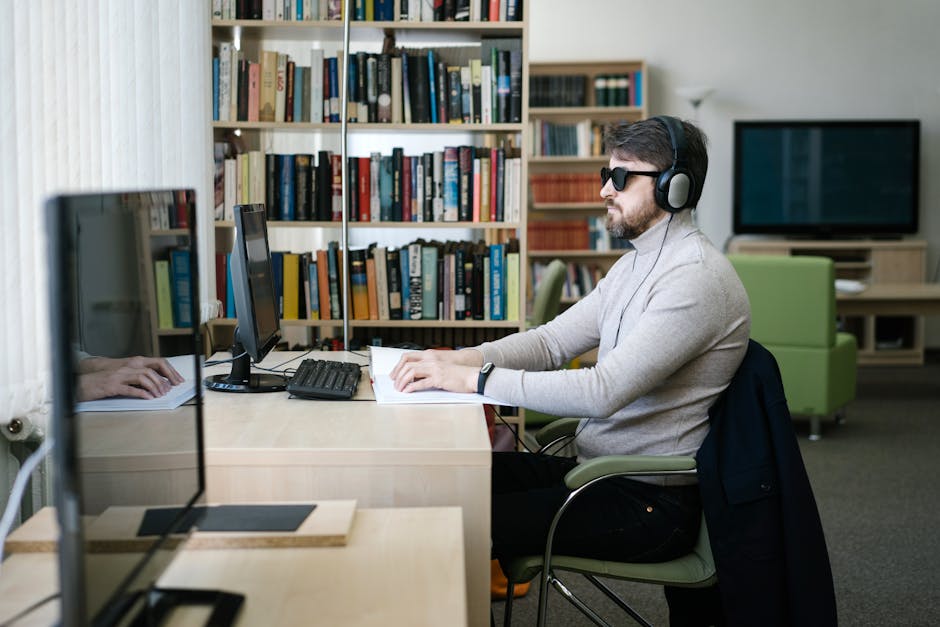
Ever found yourself staring at a wall of computer monitors, each boasting different sizes and specifications, and wondered, “What exactly is a standard size?” You’re not alone.
Choosing the right monitor can feel overwhelming with so many options available. But don’t worry, we’ve got you covered. Understanding what constitutes a standard size for a computer monitor can simplify your decision-making process and help you find the perfect fit for your needs.
Whether you’re setting up a home office, upgrading your gaming setup, or simply trying to create a more comfortable workspace, knowing the standard size can make all the difference. Stick with us, and you’ll discover everything you need to know to make an informed choice that enhances your digital experience.
Standard Monitor Dimensions
Most computer monitors today range between 21 to 27 inches. This size offers a comfortable viewing experience for most users. It balances screen space and desk fitting, making it popular for work and gaming.
Understanding the dimensions of a standard computer monitor can seem tricky, especially with so many options available. Whether you’re setting up a home office or upgrading your gaming station, knowing the right screen size and aspect ratio can make a world of difference. Let’s dive into the specifics of standard monitor dimensions.Common Screen Sizes
Choosing the right screen size often depends on your needs and the space available. The most popular sizes range from 21 to 27 inches, measured diagonally. These sizes are ideal for most tasks like browsing, document editing, and light gaming. If you require more screen real estate for professional tasks like graphic design or video editing, larger monitors, such as 32 inches or more, might be more suitable. But remember, the bigger the screen, the more space you need on your desk. Have you ever wondered why screens are measured in inches? The diagonal measurement gives you a sense of the screen’s overall size, making it easier to compare different models.Aspect Ratios Explained
Aspect ratio refers to the proportional relationship between a monitor’s width and height. The most common aspect ratio is 16:9, which provides a balanced view suitable for most activities, including watching movies and playing games. However, if you’re a multitasker, you might prefer the 21:9 ultrawide aspect ratio. This format allows you to have multiple windows open side-by-side, boosting your productivity. Have you ever found yourself squinting at a screen, trying to fit everything in? A wider aspect ratio might solve that problem, offering more horizontal space for your work or entertainment. Understanding these dimensions and ratios can significantly enhance your computing experience. Next time you’re in the market for a new monitor, consider your specific needs and the available space to make an informed decision.Resolution And Display Quality
Standard computer monitors typically measure between 21 and 27 inches. Display quality varies with resolution, commonly ranging from 1080p to 4K. Higher resolution means sharper, clearer images.
Resolution and Display Quality The quality of your computer monitor can significantly impact your user experience. Whether you’re editing photos, gaming, or just browsing the web, the resolution and display quality are crucial. But what exactly makes a good monitor stand out? Let’s dive into the details and help you make an informed choice.Understanding Pixels
Pixels are the building blocks of your display. The more pixels you have, the sharper and more detailed your images will be. Think about it like a mosaic; more tiles create a clearer picture. A monitor with a higher pixel count will provide a crisper image, allowing you to see finer details in your work or play. Do you ever feel like you’re squinting at your screen? It might be time to consider a monitor with a higher pixel density.Hd Vs 4k Monitors
High Definition (HD) monitors are often considered the standard, offering a resolution of 1920×1080 pixels. They are great for everyday tasks and are budget-friendly. However, if you’re looking for stunning visual clarity, 4K monitors, with resolutions of 3840×2160 pixels, are unmatched. Imagine watching your favorite movie and feeling like you’re part of the scene. But do you really need 4K for checking emails? Probably not. It’s essential to balance your needs with your budget and consider what you’re using your monitor for.Choosing the right monitor isn’t just about picking the latest model. It’s about understanding your needs and how different resolutions affect your user experience. Whether you prioritize high-definition clarity or ultra-sharp 4K images, knowing these details will help you make the best decision for your digital life.
Choosing The Right Monitor Size
A standard computer monitor typically measures between 21 to 24 inches diagonally. This size offers a good balance for general tasks. It provides enough screen space for multitasking without overwhelming your desk space.
Choosing the right monitor size can make a world of difference in your computing experience. Whether you’re a gamer, a professional, or simply someone who spends a lot of time in front of the screen, the size of your monitor influences productivity, comfort, and enjoyment. It’s not just about bigger being better; it’s about finding the perfect fit for your needs. Let’s dive into how you can make the right choice.User Needs And Preferences
When selecting a monitor, your specific needs should be your primary guide. Are you a designer who requires large canvases for intricate work? A larger monitor, perhaps 27 inches or more, can provide a broader view and enhance detail visibility. Alternatively, gamers might prefer a monitor size that balances immersive play and performance, like a 24-inch option. Think about your daily tasks. If you often multitask or use multiple applications simultaneously, a larger screen can help you avoid the hassle of switching tabs constantly. However, if you’re mainly browsing or doing simple tasks, a smaller screen might suffice, saving you some desk space and money.Space And Ergonomics
Consider the space available in your workspace. It’s crucial to ensure your monitor fits comfortably without overwhelming your desk. Measure your desk area and consider the distance you sit from the screen. A monitor that’s too large for your space can lead to poor posture and strain on your eyes and neck. Ergonomics play a vital role in choosing a monitor size. Your screen should be at eye level and about an arm’s length away. This setup minimizes strain and helps maintain a healthy posture. Adjustable stands or mounts can aid in achieving the optimal ergonomic position. Have you ever experienced discomfort after a long day at your desk? This could be due to poor ergonomics. By adjusting your monitor size and position, you can significantly improve your comfort and productivity. Choosing the right monitor size involves balancing your personal needs with the physical space you have. What size do you think would suit your lifestyle and work best?Impact Of Monitor Size On Performance
Choosing the right monitor size can significantly impact your computer experience. Whether you’re gaming, working, or browsing, the size of your monitor can affect performance and productivity. Let’s dive into how monitor size can make a difference for gamers and professionals alike.
Gaming Considerations
For gamers, bigger often means better. A larger monitor can offer a more immersive experience, drawing you into the game with detailed graphics and expansive views. However, it’s not just about size; resolution and refresh rates matter too.
Imagine playing your favorite game on a 27-inch monitor with a 144Hz refresh rate. You’re likely to notice smoother gameplay and quicker response times compared to a standard 60Hz monitor. This can be a game-changer in fast-paced games where every millisecond counts.
But is bigger always better? Not necessarily. A 32-inch monitor might seem appealing, but if you’re sitting too close, it can strain your eyes and make it hard to see everything on the screen. Finding the right balance between size and your gaming setup is crucial. What size works best for your gaming desk?
Professional Use Cases
In professional settings, the right monitor size can boost productivity. If you work in graphic design or video editing, a larger screen can help you see finer details and manage multiple tools simultaneously. A 27-inch monitor with 4K resolution can provide clarity and ample workspace.
For office tasks, a dual-monitor setup with two 24-inch screens might be more efficient. This allows you to have multiple documents open side-by-side, reducing the need to switch between tabs. It can make multitasking much more seamless.
But it’s not just about size and number. Consider your work environment. Are you in a compact office or have a spacious desk? The answer can determine whether a single ultrawide monitor might be more practical than multiple smaller ones. How does your workspace influence your monitor choice?
Monitor size can directly influence how you interact with your computer, affecting both performance and comfort. Whether you’re a gamer or a professional, understanding your needs and environment can guide you to the right choice. What monitor size will optimize your setup?
Popular Brands And Models
Standard size computer monitors range from 21 to 24 inches, ideal for most tasks. Popular brands like Dell, Acer, and HP offer models in this range. These sizes provide a balance between screen space and ergonomic comfort.
When choosing a computer monitor, understanding popular brands and models can be incredibly helpful. Different brands have unique offerings, balancing between performance, size, and price. Let’s dive into some of the top manufacturers and best-selling models to give you a clearer picture of what’s available.Top Monitor Manufacturers
Several brands have established themselves as leaders in the monitor market. Dell is known for its reliable and high-quality displays. Their UltraSharp series is particularly popular among professionals who demand precision. Samsung stands out with its innovative designs and technology. Their curved monitors have gained attention for providing an immersive experience that gamers and movie buffs appreciate. LG offers a range of monitors that emphasize sleek design and vibrant colors. Their UltraWide monitors are perfect if you need extra screen real estate for multitasking. HP consistently delivers solid performance at reasonable prices, making them a favorite for budget-conscious consumers. What brand do you gravitate towards? Consider what matters most to you—resolution, refresh rate, or maybe aesthetics.Best-selling Models
The market is flooded with models promising various benefits, but a few have risen above the rest. The Dell UltraSharp U2720Q is celebrated for its 4K resolution and color accuracy, ideal for graphic designers and photographers. Samsung Odyssey G7 is a top choice for gamers. With its high refresh rate and curved design, it provides a seamless gaming experience. LG 34WK95U is a go-to for multitaskers. Its UltraWide screen allows users to work efficiently with multiple applications open side by side. HP 24mh is an affordable option that doesn’t compromise on quality, featuring an IPS panel for crisp visuals. Have you tried any of these models? Sometimes, your needs might shift once you experience the feel of a particular model. Choosing a monitor is not just about picking a brand or model; it’s about finding what fits your needs and enhances your experience.Future Trends In Monitor Sizes
The world of computer monitors is ever-evolving. As technology advances, so do monitor sizes. The future holds exciting possibilities for display technology. These developments promise enhanced experiences for users everywhere. Let’s explore what lies ahead.
Emerging Technologies
New display technologies are on the horizon. OLED screens offer vibrant colors and deeper blacks. They are thinner and more energy-efficient. Quantum dots improve brightness and color accuracy. Mini-LED backlighting increases contrast ratios significantly. These innovations suggest changes in monitor design. Curved screens are gaining popularity. They provide an immersive viewing experience. Touchscreens are becoming more common in monitors. Gesture control might soon be a standard feature.
Predictions For Monitor Development
Monitors will likely become larger yet more compact. Ultra-wide screens offer panoramic views. They make multitasking easier. Higher resolution displays are expected. 4K and 8K resolutions will become mainstream. Monitors might integrate AI for better user interaction. Voice-activated controls could simplify tasks. Flexible screens might enter the market. Such screens can adjust to different shapes. Portable monitors might become more prevalent. They can be used anywhere, providing flexibility.
Frequently Asked Questions
Is A 27-inch Monitor Too Big For Work?
A 27-inch monitor is not too big for work. It offers ample screen space for multitasking. Many professionals find it ideal for productivity. Ensure your desk has enough space and your chair provides proper ergonomic support. Consider resolution and viewing distance for optimal comfort.
What Is The Standard Size For A Computer Monitor?
The standard computer monitor size ranges from 21 to 27 inches. Popular options include 24-inch and 27-inch screens. These sizes offer a good balance of workspace and visibility for most users. Consider resolution and usage when choosing a monitor size.
Is A 24-inch A Big Monitor?
A 24-inch monitor is considered medium-sized. It suits casual users, gamers, and office tasks. Its size offers a balance between screen space and desk compatibility, making it versatile for various uses without overwhelming your workspace.
Is A 32 Inch Monitor Too Big For Work?
A 32-inch monitor is not too big for work. It offers ample screen space for multitasking. Ensure your desk can accommodate it comfortably. Consider your workspace and viewing distance for optimal comfort. For detailed tasks, a larger screen can enhance productivity.
Conclusion
Choosing the right monitor impacts your work and play. Standard size monitors balance screen space and desk space. They fit well in home and office setups. Most standard monitors range from 21 to 27 inches. This size is ideal for most tasks.
Consider resolution and display type too. These factors affect clarity and color. A standard size monitor offers comfort and efficiency. It suits everyday computer needs. Larger screens are great but not always necessary. Finding the right monitor size enhances your overall experience.
Make an informed choice for your setup.