
Choosing your first gaming PC can feel overwhelming, especially with so many options on the market. You’re likely eager to dive into your favorite games with smooth graphics and fast performance, but where do you begin?
Don’t worry; you’re not alone in this quest. This guide will uncover exactly what makes a good beginner PC for gaming, simplifying the process and helping you make a decision that you’ll be thrilled with. From understanding the essential components to finding the best value for your budget, you’ll soon feel confident and ready to take your gaming experience to the next level.
Ready to discover the perfect setup that matches your gaming dreams? Keep reading, and all will be revealed!

Credit: www.ign.com
Budget-friendly Options
Finding a good beginner PC for gaming without breaking the bank can seem daunting, but budget-friendly options are more accessible than ever. You don’t need to spend a fortune to dive into the gaming world and enjoy a smooth experience. Let’s explore some affordable options that won’t compromise on performance.
Affordable Brands
Many brands offer affordable gaming PCs that deliver excellent performance for beginners. Brands like Acer, ASUS, and HP have entry-level models that are both reliable and budget-friendly. These brands often bundle cost-efficient components with decent specs, allowing you to game comfortably without overspending.
Consider Acer’s Nitro series, which is known for its great value and solid performance. Similarly, ASUS’s TUF series provides durability with reasonable specs, making it a favorite among new gamers. HP’s Pavilion Gaming series also offers a good balance of cost and capability, ensuring you get the most bang for your buck.
Cost-effective Components
When choosing a budget gaming PC, knowing which components to prioritize is crucial. A solid graphics card and a decent CPU are essential for a good gaming experience. Look for PCs with NVIDIA GTX 1650 or AMD Radeon RX 570, which provide excellent value for beginners.
Additionally, ensure your PC has at least 8GB of RAM, which is a sweet spot for gaming without lag. Storage is another key factor; opting for an SSD over a traditional HDD can significantly speed up load times. Balancing these components can make a huge difference in performance without inflating the cost.
Have you considered building your own PC? This option allows for a more tailored experience and can often save money while maximizing performance. It might seem challenging, but with countless guides and communities ready to help, it could be a rewarding venture.
Performance Considerations
Choosing the right beginner PC for gaming can be a thrilling yet daunting task. Performance considerations play a crucial role in ensuring you have a smooth and enjoyable gaming experience. You don’t want your games to lag or crash at crucial moments. Let’s dive into the key components that can make or break your gaming setup.
Processor Choices
The processor is the heart of your gaming PC. It determines how fast your games will run and how efficiently they will handle complex tasks. For beginners, a mid-range processor like the Intel i5 or AMD Ryzen 5 can offer a balance of performance and price. These processors can handle most games without breaking a sweat.
Think about how you like to play. If you enjoy multiplayer games or streaming, investing in a processor with more cores might be beneficial. More cores mean better multitasking and a smoother experience during intense gaming sessions.
Graphics Card Essentials
Your graphics card is essential for rendering those beautiful visuals and maintaining high frame rates. A good beginner option might be the NVIDIA GTX 1650 or AMD Radeon RX 570. These cards are affordable and can run most games at medium to high settings without hiccups.
Consider the games you want to play. Are you into visually demanding titles like Cyberpunk 2077 or prefer lighter games like Fortnite? Your choice will dictate whether you need something more robust or if a budget-friendly card will suffice.
Ram And Storage Needs
RAM is your PC’s short-term memory, and having enough is crucial for gaming. Aim for at least 8GB, but if your budget allows, 16GB can provide a more seamless experience, especially with modern games. You’ll notice the difference in loading times and multitasking capabilities.
Storage is another vital component. Consider a mix of SSD and HDD. SSDs can significantly reduce load times, getting you into the action faster. A 256GB SSD for your operating system and favorite games, paired with a larger HDD for other files, could be a winning combination.
Ultimately, your gaming experience hinges on these performance considerations. What kind of gamer are you aiming to be? The answer will guide your choices and ensure you get the most out of your beginner gaming PC.
Pre-built Vs. Custom Builds
Choosing a gaming PC can be daunting, especially for beginners. The primary decision often boils down to selecting between a pre-built system or a custom build. Both options have their unique perks and pitfalls, making it crucial to weigh them carefully before diving into your gaming adventures. Understanding these differences can help you make an informed decision that suits your gaming needs and budget.
Pros And Cons Of Pre-built
Pre-built gaming PCs offer convenience and simplicity. You get a ready-to-use machine with all components expertly assembled. This is perfect for those who prefer a hassle-free setup and immediate gameplay. They often come with warranties and customer support, providing peace of mind in case of technical issues.
However, pre-built PCs can be less flexible when it comes to upgrades. The components might be harder to swap out, limiting customization. Additionally, they can be pricier compared to custom builds, as manufacturers often include a markup for assembly and brand name.
Advantages Of Custom Builds
Custom builds let you tailor every part of your gaming PC to your specific needs. You choose each component, ensuring compatibility and performance that suits your gaming style. This can lead to a more cost-effective solution, as you pay only for what you need.
Building your own PC can be a rewarding experience, providing a deeper understanding of how each part contributes to overall performance. You’ll have the flexibility to upgrade components easily, keeping your system future-proof. However, the process can be time-consuming and requires some technical know-how.
Which path will you take? Consider your priorities—whether it’s immediate convenience or long-term customization—and make a choice that enhances your gaming journey.
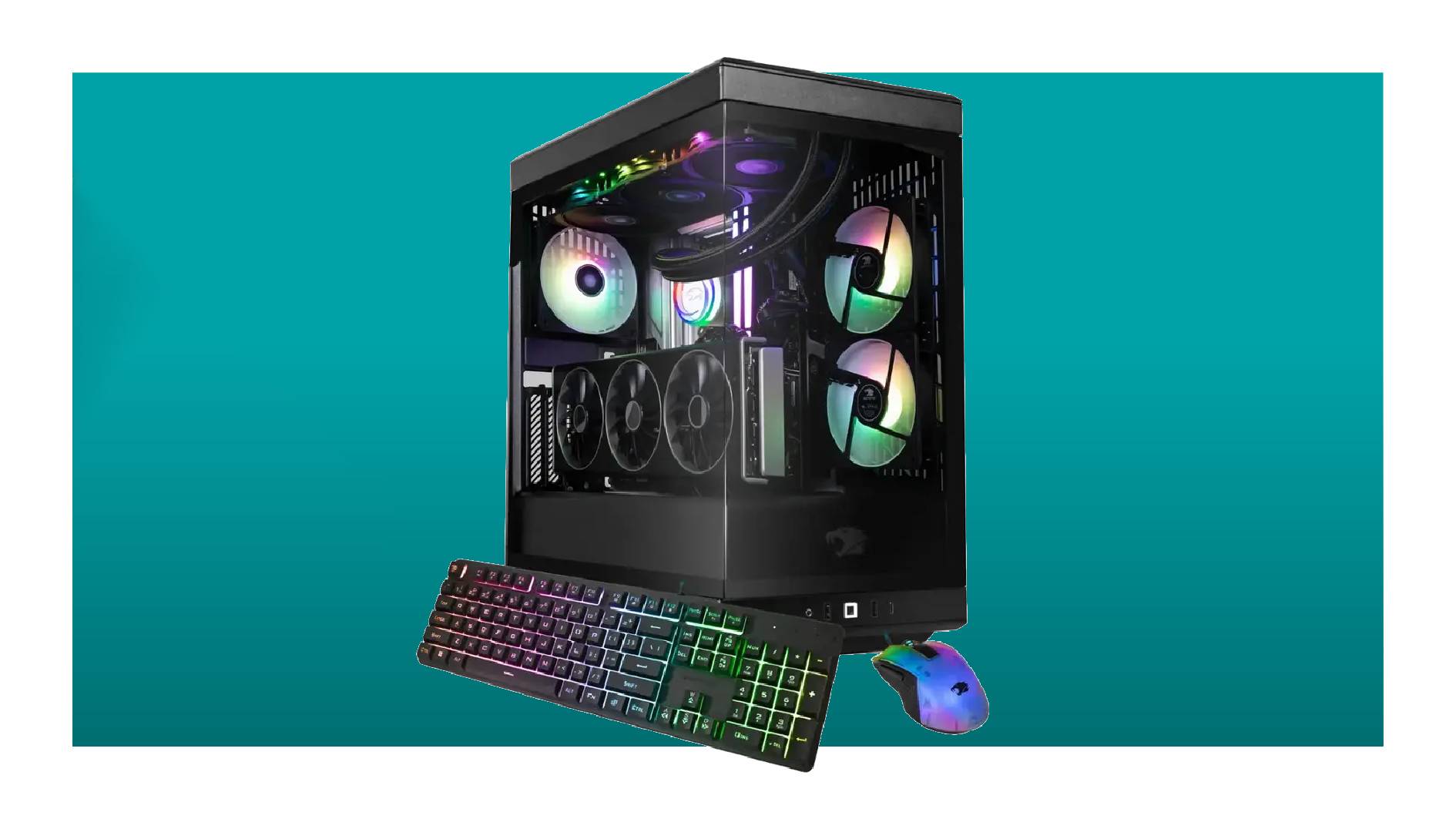
Credit: www.pcgamer.com
Future-proofing Your Pc
Choosing a beginner PC for gaming involves balancing performance and budget. Opt for a system with a mid-range graphics card and a fast processor. Ensure the PC has room for future upgrades to maintain gaming performance.
Future-Proofing Your PC Building a gaming PC is an exciting adventure, but the rapid pace of technology can make your new rig feel outdated sooner than you’d like. Future-proofing your PC is a savvy approach to ensure you get the most out of your investment. By considering a few key factors, you can create a setup that stands strong against the test of time.
Upgradability Features
When choosing components, prioritize those that offer room for growth. Look for a motherboard with multiple RAM slots, allowing you to add more memory as games demand it. Select a case with extra space for additional drives or larger graphics cards, making upgrades smoother and less costly in the long run.
Anticipating Future Trends
Stay informed about emerging technologies that could impact gaming. For instance, the shift towards ray tracing has changed how games render graphics, requiring more powerful GPUs. Consider the rise of virtual reality and ensure your PC can handle VR applications by checking compatibility with VR headsets and peripherals. Future-proofing isn’t about predicting every technological leap but about creating a flexible foundation. Are you ready to build a PC that stands the test of time?
Recommended Models For 2025
Choosing a good beginner PC for gaming in 2025 focuses on performance and affordability. Consider models with a solid GPU, ample RAM, and a fast processor. These features ensure smooth gameplay and a good experience for new gamers.
Choosing a gaming PC as a beginner can feel overwhelming, especially with the myriad of options available. As we look ahead to 2025, the market continues to evolve with models that balance performance and affordability. Whether you’re on a tight budget or ready to invest a bit more, there’s a perfect setup waiting for you.
Top Picks Under $500
Finding a gaming PC under $500 might seem daunting, but there are some solid contenders. The Lenovo IdeaCentre Gaming 5 is a great starting point. It offers a Ryzen 3 processor and a GTX 1650 graphics card, providing decent performance for popular games like Fortnite and Minecraft. Another option is the HP Pavilion Gaming Desktop, which includes an AMD Athlon processor paired with an RX 550 graphics card. It’s a reliable choice for casual gaming and light multitasking. If you’re willing to explore refurbished models, you could snag a Dell Optiplex with a GTX 1050. These are often available in this price range and provide a good entry-level experience.
Top Picks Under $1000
With a $1000 budget, your options expand significantly. The ASUS ROG Strix GL10 is a standout, equipped with an Intel i5 processor and an RTX 3050 graphics card. It handles modern games at medium to high settings with ease. The Acer Nitro 50 is another excellent choice, featuring an AMD Ryzen 5 processor and an RX 6600 GPU. This setup ensures smooth gameplay and offers a bit of future-proofing. Consider the MSI Aegis SE, which combines an Intel i5 with a GTX 1660 Super. This combination is perfect for competitive gaming, providing high frame rates without breaking the bank. As you explore these options, think about what you want from your gaming experience. Are you looking for high frame rates or just a smooth, enjoyable play? Your preferences will guide your choice. Remember, a good gaming PC is not just about the price tag but how well it aligns with your gaming ambitions.

Credit: www.ign.com
Essential Accessories
Embarking on your gaming journey with a beginner PC is an exciting adventure, but remember, the right accessories can elevate your experience significantly. From enhancing visual clarity to improving gameplay precision, these essential add-ons are game-changers. Let’s delve into what you need to make your gaming sessions more immersive and enjoyable.
Monitors And Keyboards
Your monitor is your window into the gaming world. Opt for a monitor with a higher refresh rate for smoother visuals. Brands like ASUS and Acer offer great options that won’t break the bank. A 24-inch screen is often ideal for beginners, providing a good balance of size and performance.
Keyboards are not just typing tools; they’re your command center. Mechanical keyboards are highly recommended for gamers due to their responsiveness. Look for one with customizable RGB lighting to personalize your setup. Consider brands like Corsair or Logitech for reliable options.
Headsets And Controllers
Sound is crucial in gaming, where hearing footsteps or distant gunfire can change the game. Choose a headset with surround sound capabilities for an immersive experience. SteelSeries and HyperX offer fantastic models that balance quality and affordability.
Controllers can provide a different feel compared to keyboard and mouse gameplay. Brands like Xbox and PlayStation have controllers compatible with PCs. They are great for games that are designed for console-style play. Having both options at hand gives you flexibility in how you play.
User Reviews And Feedback
Choosing a good beginner PC for gaming can be an exciting yet daunting experience. User reviews and feedback play a crucial role in guiding you through this decision. They provide firsthand insights into the performance and reliability of different gaming PCs, helping you make a more informed choice. But what are people saying about these machines?
Popular Opinions
Many users rave about the value for money that beginner gaming PCs offer. A common sentiment is the impressive performance of budget-friendly models that run popular games smoothly without breaking the bank. Gamers appreciate the ease of setup and the plug-and-play nature of these systems, making them ideal for those new to gaming.
Another widely appreciated aspect is the upgrade potential. Users often mention how these PCs provide a solid base that can be enhanced with better components over time. This flexibility ensures longevity and keeps your gaming experience fresh and exciting.
Common Complaints
Despite the positive feedback, there are some common complaints that surface. A frequent issue is the limited storage space, which can be a bottleneck for those who prefer to have multiple games installed simultaneously. Users often find themselves needing to invest in additional storage solutions sooner than anticipated.
Another point of contention is the noise level. Some beginner gaming PCs can be noticeably loud during intense gaming sessions, which might be distracting. This can be a concern for those who value a quieter environment or stream their gameplay live.
When looking at user reviews, it’s important to weigh these opinions and complaints carefully. What matters most to you? Understanding these perspectives can significantly influence your choice and ensure you pick a gaming PC that truly fits your needs.
Frequently Asked Questions
Is A $600 Dollar Gaming Pc Good?
A $600 gaming PC can handle most games at medium settings. It offers decent performance for budget-conscious gamers. Expect smooth gameplay in popular titles, but high-end games may require graphics compromises. Upgrading components later can enhance performance. It’s a cost-effective entry into PC gaming for casual and indie game enthusiasts.
How Much Does A Good Starter Gaming Pc Cost?
A good starter gaming PC typically costs between $700 and $1,200. Prices vary based on specifications and brands. Essential components include a reliable CPU, GPU, RAM, and SSD. Opt for brands like AMD or Intel for processors and NVIDIA or AMD for graphics cards to ensure optimal gaming performance.
What Is Considered An Entry-level Gaming Pc?
An entry-level gaming PC typically includes a mid-range CPU, 8GB RAM, and a budget-friendly GPU like the GTX 1650. It supports 1080p gaming at medium settings. Look for at least 500GB SSD storage for faster load times. Ensure it has a reliable power supply and cooling system for optimal performance.
How To Choose Your First Gaming Pc?
Choose a gaming PC with a powerful graphics card, fast processor, and sufficient RAM. Ensure compatibility with your favorite games. Consider future upgrade options and read reviews for quality assurance. Prioritize a balance between performance and budget to enjoy smooth gaming experiences.
Conclusion
Choosing the right gaming PC can be exciting. Start with clear goals. Consider your budget. Focus on the essential features. Graphics card and processor matter most. Look for good reviews. Check for upgrade options. Ensure compatibility with popular games. Don’t rush your decision.
Take your time to explore. Ask friends for advice. Visit gaming forums. Compare different models. Make sure to buy from a trusted brand. Enjoy the gaming experience. Your journey starts here. Happy gaming!