
Choosing the right desktop computer can feel like navigating a tech maze. With countless options and specifications, it’s easy to get overwhelmed.
But don’t worry, you’re not alone in this. Whether you’re seeking a powerful machine for gaming, a reliable workhorse for your home office, or just a simple setup for everyday tasks, the perfect desktop is out there waiting for you.
Imagine having a computer that meets all your needs, seamlessly fitting into your lifestyle and boosting your productivity. Excited to find your ideal desktop? Let’s dive into what you need to know before making that all-important purchase decision.
Key Factors To Consider
Choosing the right desktop computer can be a daunting task, especially with the myriad of options available. To make an informed decision, it’s crucial to focus on key factors that align with your unique needs. Whether you’re a gamer, a professional, or someone who simply needs a reliable machine for everyday use, understanding these factors can lead you to the perfect choice.
Performance Needs
Consider what you’ll primarily use your desktop for. If you’re into gaming or video editing, you need a machine with a powerful GPU and CPU. Prioritize RAM and storage speed too, as these will directly impact your computer’s responsiveness.
If your needs are basic, like browsing and office applications, a standard setup with integrated graphics should suffice. Remember, buying more than you need can be a waste of resources.
Think about your daily tasks and select hardware that matches those demands. For a balanced approach, a mid-range processor often offers the best value.
Budget Constraints
Your budget is a significant factor in your decision. High-end components can cost a fortune, but you don’t always need the latest model to get excellent performance.
Create a budget that reflects what you value most. Is it speed, multitasking, or storage? Allocate funds accordingly, ensuring you don’t overspend on features you might never use.
Consider refurbished options or previous generation models for a cost-effective solution without compromising too much on power.
Future-proofing
Think ahead. Technology evolves rapidly, and a desktop that feels cutting-edge today might be outdated in a few years. Opt for components that allow easy upgrades.
Choose a motherboard with extra slots for RAM and storage, enabling you to expand later. This flexibility can save you money and frustration in the future.
Ask yourself, will this desktop still meet my needs in three years? If not, look for models that offer better longevity and upgrade paths.
Ultimately, the best desktop computer for you depends on balancing these factors. By carefully considering performance needs, budget constraints, and future-proofing, you can make a choice that is both smart and satisfying. What matters most to you in a desktop computer?
Popular Desktop Categories
Choosing the right desktop computer depends on your needs. There are several popular categories, each with distinct features. Whether for gaming, work, or space-saving, there’s a desktop for everyone. Explore these categories to find one that fits your lifestyle and requirements.
Gaming Desktops
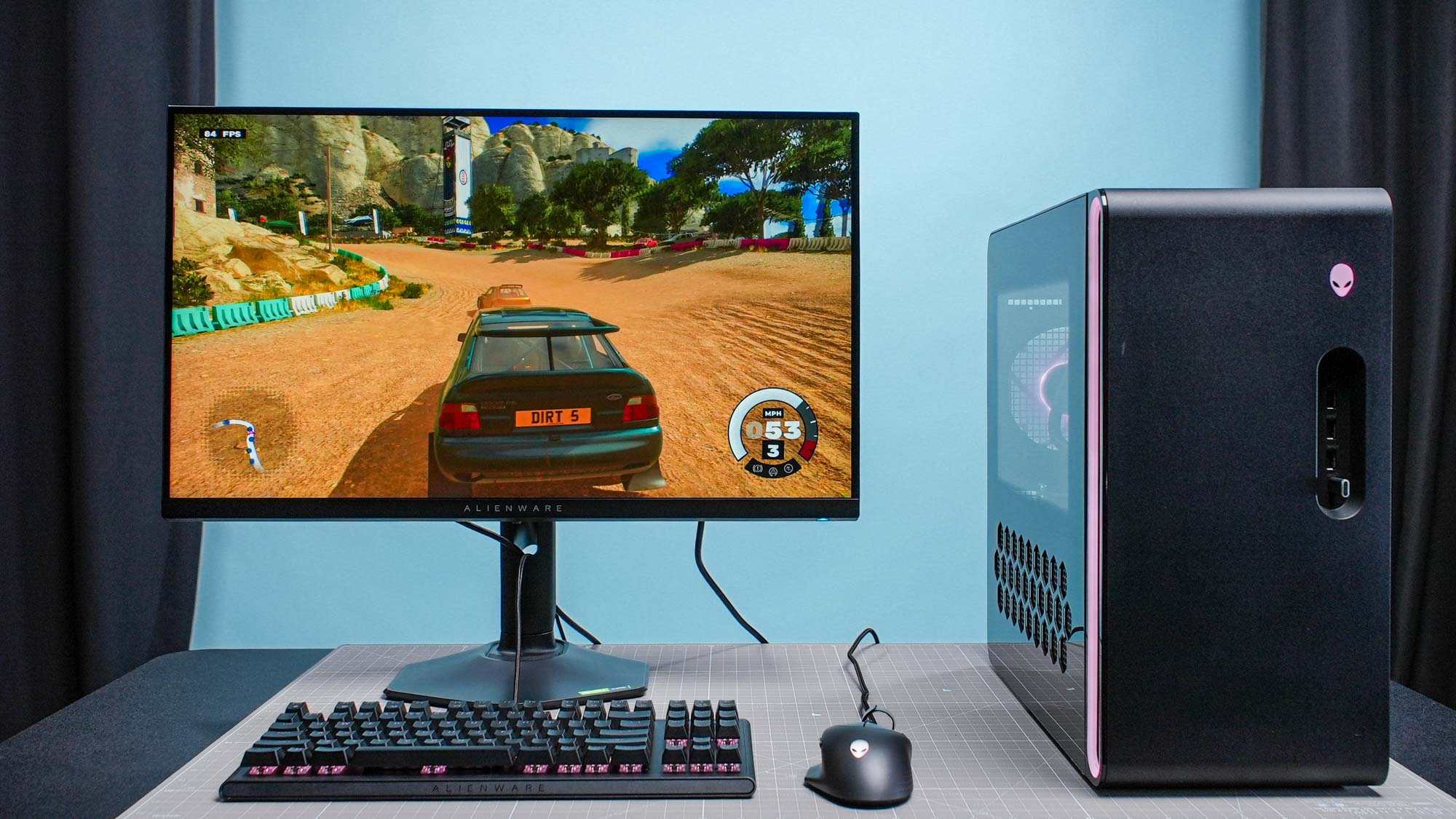
Gaming desktops deliver high performance. They have powerful processors and graphics cards. These components ensure smooth gameplay and stunning visuals. Many models allow customization. Upgrade parts to keep up with new games. Look for good cooling systems. They prevent overheating during long sessions.
Business Desktops
Business desktops focus on reliability and efficiency. They often have security features. These protect your work data. They handle multitasking with ease. Choose models with ample RAM. This improves performance with multiple applications. Business desktops usually come with professional software.
All-in-one Desktops
All-in-One desktops combine the monitor and computer. This design saves space. It reduces cable clutter. They offer a sleek look for any office or home. Many have touchscreen capabilities. This provides a modern user experience. These desktops cater to basic computing needs.
Compact Desktops
Compact desktops are small and versatile. They fit in tight spaces. Perfect for dorms or small offices. Despite their size, they pack a punch. They handle everyday tasks well. Some models are portable. Easily move them around the house or office.
Top Brands And Models
Choosing the right desktop computer can be a daunting task. With so many brands and models available, it’s easy to feel overwhelmed. Let’s dive into some of the top brands and models to help you make an informed decision.
Dell And Hp
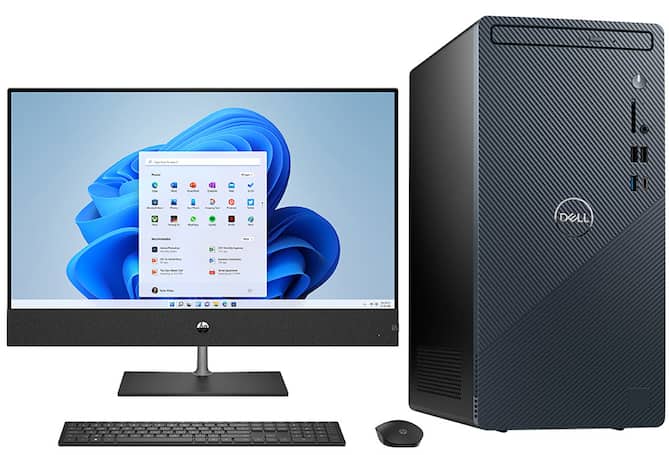
Dell and HP have been household names in the desktop computer market for decades. They are known for their reliability and wide range of options. Whether you’re looking for a powerful gaming setup or a simple home office solution, these brands have something to offer.
Dell’s XPS series is a favorite among professionals and gamers alike, boasting impressive specs and sleek designs. On the other hand, HP’s Pavilion series offers excellent value for everyday use. Have you considered what features are most important to you?
Apple Imac
Apple’s iMac is often the go-to choice for creatives and design enthusiasts. Its stunning Retina display and powerful performance make it ideal for graphic design, video editing, and more. The iMac’s seamless integration with other Apple products is a significant advantage if you’re already in the Apple ecosystem.
But is the premium price tag worth it for your needs? If you’re looking for a balance of aesthetics and functionality, the iMac might just be the perfect fit.
Custom Builds
Custom builds offer the ultimate flexibility in terms of performance and budget. Building your own desktop allows you to handpick each component, ensuring it meets your specific requirements. This route is particularly popular among gamers and tech enthusiasts.
While it can be a fun and rewarding experience, it requires some technical know-how. Are you up for the challenge, or would you rather opt for a ready-made solution?
By weighing the pros and cons of each option, you can find the desktop computer that best suits your lifestyle and needs. Happy shopping!
Credit: www.tomsguide.com
Hardware Specifications
When choosing a desktop computer, hardware specifications are crucial. They determine how well your computer performs and handles tasks. Understanding these components can save you from future headaches and ensure your machine keeps up with your needs. Let’s dig into some essential parts you should consider.
Processor Options
The processor is the brain of your computer. Intel and AMD are the top players in the market. Intel’s Core i5 or i7 are great for everyday tasks and some gaming. AMD’s Ryzen series offers similar performance but is often more budget-friendly. If you’re into heavy multitasking or video editing, consider high-end processors like Intel’s Core i9 or AMD’s Ryzen 9. Your choice of processor can significantly impact your computer’s speed. Have you ever struggled with a sluggish system because you underestimated your processor needs?
Ram And Storage
RAM and storage dictate your computer’s ability to handle multiple applications and store data. Aim for at least 8GB of RAM for smooth operation. If you multitask frequently, 16GB or more will provide a noticeable boost. Storage options include HDDs and SSDs. SSDs are faster and more reliable, though pricier. An SSD can drastically cut down boot times. Ever found yourself waiting endlessly for your computer to start up? More storage ensures you don’t run out of space for your files. Are you constantly deleting files to free up space?
Graphics Cards
Graphics cards are vital if you’re gaming or working with visual content. NVIDIA and AMD offer excellent options. For casual gamers, NVIDIA’s GTX series or AMD’s Radeon RX series are sufficient. If you’re into serious gaming or 3D rendering, consider NVIDIA’s RTX series or AMD’s Radeon RX 6000. A powerful graphics card can enhance your visual experience. Have you ever been frustrated by lagging graphics in your favorite game?
Choosing the right hardware specifications can make or break your desktop experience. Make informed decisions based on your needs, and you’ll thank yourself later.
Operating System Choices
Choosing the right operating system (OS) is crucial when deciding what desktop computer to buy. The OS is the heart of your system, impacting everything from software compatibility to user experience. Each option has its own strengths, so it’s essential to consider what aligns best with your needs and preferences. Let’s dive into the main OS choices available today: Windows, macOS, and Linux.
Windows
Windows is the most popular operating system worldwide, and for good reason. It’s known for its user-friendly interface and extensive software support. Whether you’re a gamer, a professional, or a casual user, Windows offers something for everyone.
With Windows, you benefit from a vast library of applications and games. The Microsoft Store offers everything from productivity tools to entertainment apps. Plus, Windows is compatible with a wide range of hardware, making it a versatile choice.
If you are someone who loves customization, Windows allows you to tweak your system to suit your style. It provides numerous personalization options, from changing themes to modifying system settings. What would you customize first?
Macos
macOS is the operating system exclusive to Apple’s desktop computers. It’s renowned for its sleek design and seamless integration with other Apple devices. If you’re already in the Apple ecosystem, macOS is a natural choice.
One of the standout features of macOS is its robust security. It offers built-in protection against malware and viruses, providing peace of mind. For creative professionals, macOS is a favorite due to its strong performance in graphics, video editing, and music production.
Have you ever used macOS and appreciated its intuitive interface? Many users find its simplicity and elegance appealing, making their computing experience enjoyable and productive.
Linux
Linux might not be as mainstream as Windows or macOS, but it’s a powerful option for those who value flexibility and control. It’s an open-source OS, which means it’s free and customizable to an extraordinary degree.
If you’re tech-savvy or willing to learn, Linux offers a world of possibilities. You can choose from various distributions, such as Ubuntu or Fedora, each with unique features. This can be a great learning journey if you enjoy tinkering with technology.
Linux is known for its stability and security, making it a popular choice among developers and IT professionals. Have you ever considered exploring Linux to gain more control over your system’s environment?
When deciding on an operating system, consider your specific needs and how each OS aligns with them. Remember, the right choice can enhance your computing experience, making your tasks easier and more enjoyable. Which OS resonates with you the most?

Credit: www.apple.com
Additional Features And Accessories
When choosing a desktop computer, the main components like the processor and RAM often steal the spotlight. However, it’s the additional features and accessories that truly enhance your experience. Imagine setting up your new machine only to realize your monitor isn’t compatible or your keyboard feels awkward. These elements can make or break your daily interaction with your computer. Let’s delve into some key accessories you should consider for an optimal setup.
Monitors And Displays
A monitor is more than just a screen; it’s your window into the digital world. Size and resolution matter, but so does refresh rate and color accuracy. Are you a gamer or a graphic designer? A high refresh rate and accurate colors will serve you well. A personal tip: I once bought a monitor solely for its size, overlooking the refresh rate. It was a mistake that affected my gaming experience. Consider your needs thoroughly.
Curved monitors can offer an immersive experience, especially for gaming or watching movies. But, if you’re working with spreadsheets or coding, a flat screen might be more practical. Think about your usual tasks and choose accordingly.
Keyboards And Mice
A keyboard and mouse are your primary input tools, and their comfort and functionality are crucial. Mechanical keyboards provide tactile feedback that’s perfect for long typing sessions. But, if noise is a concern, a membrane keyboard may be quieter.
Consider a mouse that fits well in your hand. Ergonomic designs can prevent strain during prolonged use. Wireless options offer flexibility, but ensure they have good battery life. Ever struggled with a mouse that died mid-presentation? It’s frustrating. Choose accessories that suit your lifestyle and work habits.
Audio And Connectivity
Audio quality can transform your listening experience, whether it’s music, movies, or video calls. Invest in good speakers or headphones if sound is important to you. I once underestimated the power of good audio and it made my movie nights less enjoyable. Don’t make the same mistake.
Connectivity options like USB ports, HDMI inputs, and Bluetooth are vital for connecting various devices. Ensure your desktop has enough ports for your needs. Ask yourself: how many gadgets do you regularly use? Planning ahead can save you from annoying connectivity issues.
When buying a desktop, it’s easy to focus on the machine itself. But remember, accessories can enhance or hinder your daily use. Make thoughtful choices based on your personal needs and preferences. What accessory could drastically improve your computing experience today?
Where To Buy
Choosing the right desktop computer is just the start. Finding the right place to buy it is equally important. The market offers a plethora of options. From online platforms to brick-and-mortar stores, each has its benefits. Understanding these options helps make an informed decision.
Online Retailers
Online retailers provide convenience. Shopping from home is easy. Websites like Amazon and Newegg offer a wide selection. Compare prices with ease. Read customer reviews for insights. Many offer fast shipping options. Look for deals and discounts. Online shopping saves time.
Local Electronics Stores
Local stores allow you to see products in person. Touch and test the computers. Get advice from staff. Immediate purchase and no shipping wait. Supporting local businesses helps the community. Look for store promotions and sales. Check return policies.
Manufacturer Direct
Buying direct from manufacturers ensures authenticity. Brands like Dell and HP sell directly. Customize your desktop to fit your needs. Often get warranty and support advantages. Access exclusive deals and offers. Manufacturer sites provide detailed product information. Safe and reliable buying.
Expert Tips For Making A Purchase
Choosing the right desktop computer can feel like navigating a maze with countless models and features. However, with a few expert tips, you can make a smart purchase that suits your needs. Let’s dive into some key areas you should focus on to make an informed decision.
Evaluating Reviews And Ratings
Reading reviews and ratings might seem obvious, but it’s crucial. They provide insight into real user experiences, not just marketing promises. Pay attention to patterns in feedback. If multiple users mention the same issue, it’s likely a genuine concern.
Look beyond the star ratings. A computer with a four-star average but hundreds of reviews might be more reliable than one with five stars and only a handful. Don’t shy away from negative reviews. They often highlight potential deal-breakers that glossy ads gloss over.
Warranty And Support
Always check the warranty and support options before buying. A robust warranty can save you headaches and money if something goes wrong. Some manufacturers offer extended warranties, which might be worth considering for high-end purchases.
Consider the support services offered. Is there a customer service line you can call? Do they provide online chat support? A friend once bought a computer from a brand with poor support and spent hours on the phone for a simple fix. Learn from such experiences.
Upgrade Potential
Think about the future. A desktop with good upgrade potential can extend its lifespan and save you money. Can you easily add more RAM or replace the hard drive? These are important questions if you plan to keep your computer for several years.
Research the components used in the desktop. Are they standard parts that can be easily swapped? Some brands use proprietary components, making upgrades difficult or expensive. Making a well-informed choice now can prevent future frustration.
With these expert tips, you’re better equipped to choose a desktop computer that meets your needs and fits your budget. What features are most important to you?
Credit: www.bestbuy.com
Frequently Asked Questions
How To Choose The Right Desktop Computer?
Consider your budget, usage needs, and preferred operating system. Check processor speed, RAM, and storage capacity. Evaluate graphics card for gaming or design tasks. Ensure compatibility with peripherals. Reviews can offer valuable insights.
Is A 7 Year Old Computer Still Good?
A 7-year-old computer can still be useful for basic tasks like browsing, email, and word processing. Performance may lag for gaming, video editing, or newer software. Regular maintenance and upgrades can extend its lifespan. Consider your needs and budget before deciding on a replacement.
What Are 5 Important Things To Consider When Buying A Computer?
Consider processor speed for performance. Check RAM size for multitasking. Look at storage type and capacity. Evaluate graphics card for gaming or design work. Compare prices for budget-friendly options.
Is Hp Or Dell Desktop Better?
Both HP and Dell offer reliable desktops. Choose HP for sleek design and customer support. Opt for Dell for performance and customization.
Conclusion
Choosing the right desktop computer can be a tough decision. Remember, focus on your needs. Are you gaming, working, or browsing? Think about your budget. Consider the computer’s speed and storage. Look at the screen size and design. Check reviews and ratings from real users.
Visit stores to see options in person. Online research is your friend. Ask friends for their opinions. Compare different brands and models. Don’t rush your decision. A good choice lasts for years. With the right desktop, tasks become easier and more enjoyable.