
Are you tired of juggling multiple USB drives or dealing with the constant reminder that your computer’s storage is almost full? If so, it might be time to discover the convenience of the My Passport External Hard Drive.
Imagine having all your important files, photos, and videos safely stored in one compact and portable device. Whether you’re a student, a professional, or just someone who loves capturing memories, the My Passport External Hard Drive could be your perfect storage solution.
We’ll explore what makes this device stand out and why it might just be the game-changer you’ve been looking for. Keep reading to find out how you can simplify your digital life and ensure your data is always secure and accessible.

Credit: www.amazon.com
Features Of My Passport External Hard Drive
The My Passport External Hard Drive is a versatile storage solution. It combines robust features with user-friendly design. This device is perfect for individuals seeking reliable data storage. Let’s explore its key features in detail.
Storage Capacity Options
My Passport offers various storage capacities. Options range from 1TB to 5TB. This allows users to choose based on their needs. Whether it’s for photos, videos, or documents, there’s a capacity for everyone. Larger capacities are ideal for extensive media libraries.
Design And Build Quality
The design is sleek and compact. It fits easily into bags or pockets. The hard drive is available in multiple colors. This adds a personal touch to your tech gear. Its durable casing protects against bumps and drops, ensuring data safety.
Connectivity And Compatibility
My Passport supports USB 3.0 connectivity. This ensures fast data transfer speeds. It is also backward compatible with USB 2.0. The device works with both Windows and Mac systems. This makes it a versatile choice for users with different operating systems.
Security Features
Data security is a priority for My Passport. It offers password protection and hardware encryption. Users can easily set up a password to secure their data. This feature provides peace of mind for sensitive information. The encryption ensures data remains safe from unauthorized access.
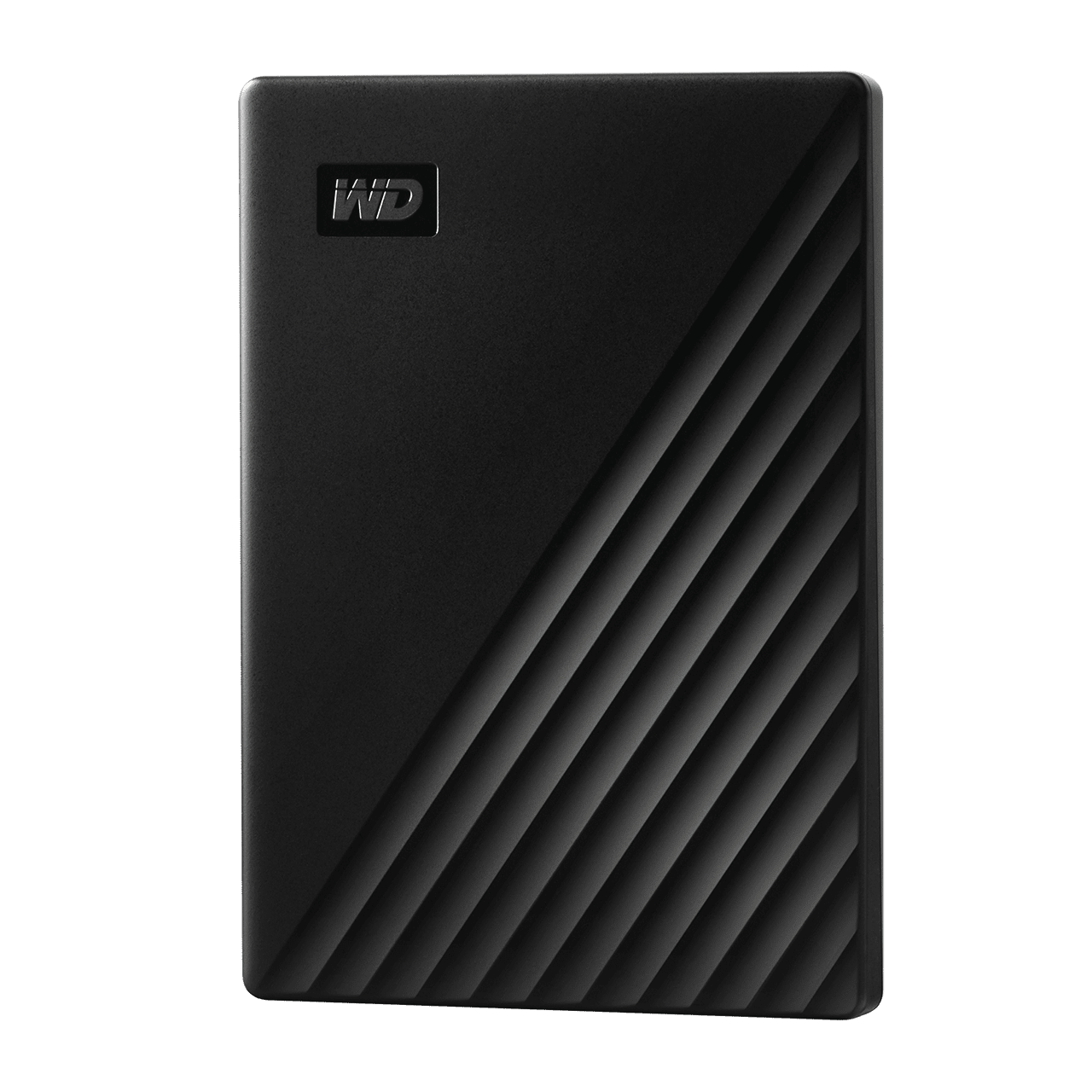
Credit: www.westerndigital.com
Setting Up Your My Passport Drive
Setting up your My Passport External Hard Drive is simple and rewarding. This drive offers reliable storage for your files and media. Follow these steps to get started with your new device.
Initial Setup Process
Begin by unpacking your My Passport drive. Connect it to your computer using the USB cable. Wait for your computer to recognize the device. You may see a prompt on your screen. Follow any instructions given to ensure proper connection.
Software Installation
Once connected, install the necessary software. This software helps manage your drive efficiently. Locate the installation file on the drive. Double-click the file to start the process. Follow the setup wizard instructions carefully. This software enhances your drive’s functionality.
Configuring Security Settings
Protect your data with strong security settings. Access the security options through the installed software. Choose a password that is hard to guess. This step ensures your files remain safe. Regularly update your security settings for better protection.
Using My Passport For Data Backup
Have you ever lost precious photos or important documents due to a computer crash? It’s a heart-sinking moment. But here’s the good news: using a My Passport external hard drive for data backup can save you from such distress. It’s a simple yet powerful tool to keep your data safe and sound. Let’s dive into how you can make the most of it.
Automatic Backup Functions
Imagine never having to worry about manually backing up your files. My Passport offers automatic backup options that can ease your worries. You can set it up to back up your data at regular intervals. It’s like having a personal assistant who takes care of your digital life. Once configured, My Passport quietly works in the background, ensuring your files are saved without any hassle.
Are you often forgetful? Automatic backups come to the rescue. You can choose daily, weekly, or monthly backup schedules. This way, you won’t miss saving recent changes to your files. It’s all about peace of mind and convenience.
Manual Backup Techniques
If you prefer control over your backups, manual techniques are for you. With My Passport, you can easily drag and drop files to your external hard drive. This gives you the freedom to choose which specific files or folders you want to save. It’s ideal for those who want to back up only certain types of data or when you have large files that need immediate saving.
Consider creating a routine. Maybe every Friday afternoon, you take a few minutes to manually back up essential files. This simple habit can prevent future headaches. Plus, it lets you review what’s truly important to keep.
Restoring Data
Accidents happen. Luckily, restoring data from My Passport is straightforward. When you need to retrieve files, the process is user-friendly. You can access your saved files in just a few clicks. Whether it’s a single document or an entire folder, My Passport makes the recovery process smooth.
Think about the relief you’d feel when a missing file is just a few clicks away. My Passport ensures that restoring data is not just possible, but easy. Next time your computer acts up, you’ll be prepared. Isn’t it worth having that peace of mind?
So, what’s stopping you from securing your digital treasures? Embrace the ease and reliability of My Passport for your data backup needs. Your future self will thank you!
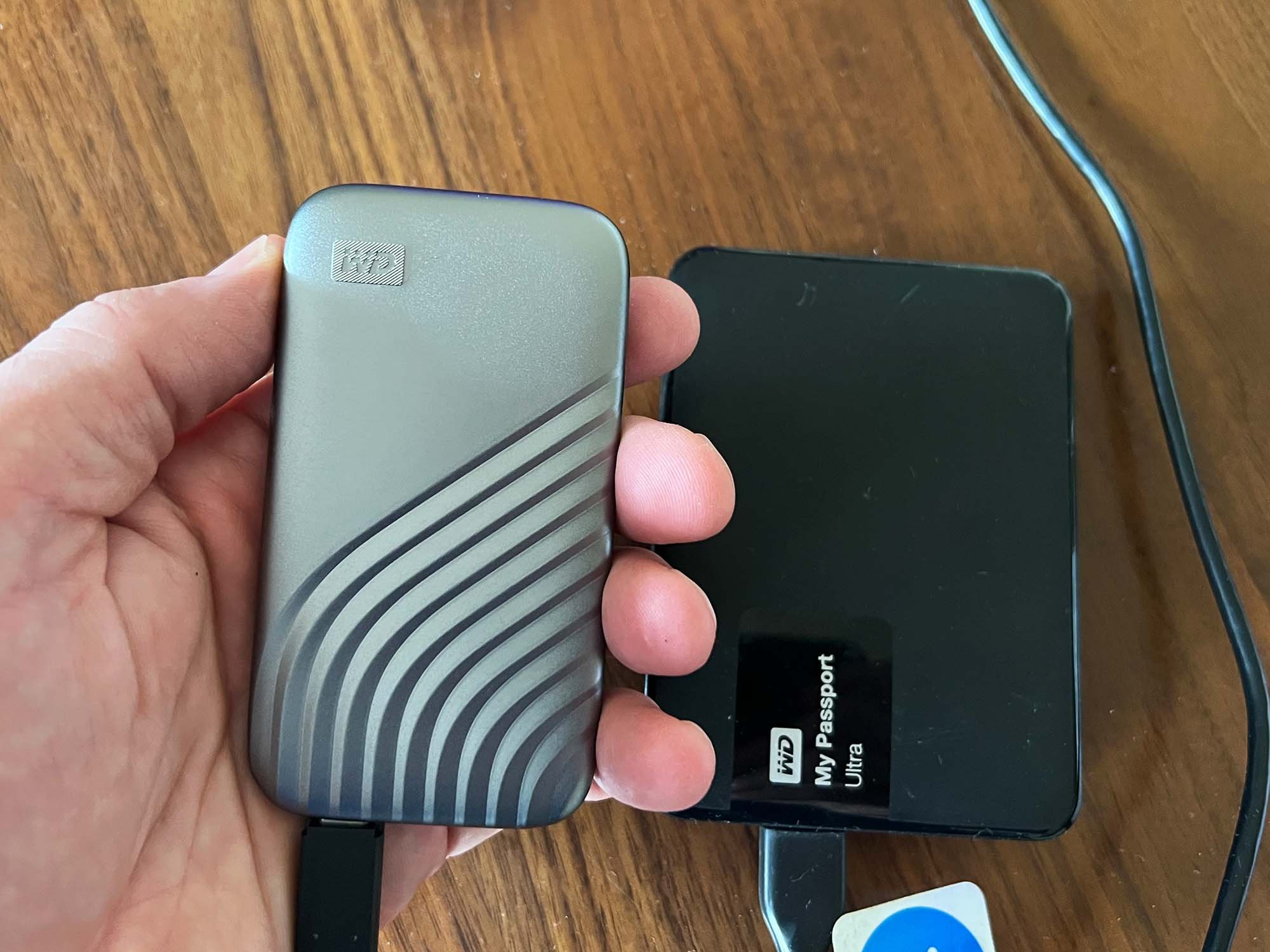
Credit: www.thestudiomanager.com
Troubleshooting Common Issues
Having a My Passport External Hard Drive can be a lifesaver for storing important files, but sometimes you might face issues that leave you puzzled. Whether it’s connection problems or software glitches, knowing how to troubleshoot can save you time and stress. Let’s explore some common issues and practical solutions to ensure your device runs smoothly.
Connection Problems
One of the most frustrating issues with external hard drives is when they refuse to connect to your computer. This can stem from a faulty USB cable or outdated drivers.
First, try swapping out the USB cable with a known working one. If the problem persists, check your computer’s drivers. Updating them can often resolve connectivity issues.
Have you ever considered if your USB port might be the culprit? Try connecting your hard drive to a different port. Sometimes, a simple switch can make all the difference.
Data Recovery Solutions
Accidentally deleted files can be a nightmare, but don’t panic. There are tools available to help you recover lost data from your My Passport External Hard Drive.
Software like Recuva or EaseUS Data Recovery Wizard can scan your drive and retrieve lost files. These programs are user-friendly and can recover data efficiently.
Think about regular backups. Ensuring you have a copy of your important files can prevent data loss headaches. How often do you back up your files?
Software Glitches
Software issues can sometimes hinder your hard drive’s performance. This might include failed updates or compatibility problems with your operating system.
To tackle these glitches, ensure your device’s firmware is up-to-date. Check the manufacturer’s website for the latest version.
Have you experienced compatibility issues after a system update? Consider rolling back to a previous version or contacting support for assistance. Sometimes, a small tweak can restore your device to full functionality.
Maintaining Your External Hard Drive
Keeping your My Passport External Hard Drive in top shape is crucial. Proper maintenance ensures data safety and extends its lifespan. Follow these simple steps to maintain your device effectively.
Regular Software Updates
Update your hard drive software regularly. Manufacturers release updates to fix bugs and improve performance. Connect your device to your computer often. Check for updates through the manufacturer’s website. Installing the latest firmware is essential for security.
Physical Care And Storage
Handle your hard drive with care. Avoid dropping or shaking it. Store it in a safe, dry place. Keep it away from extreme temperatures. Use a padded case for extra protection during travel. Always disconnect safely from your computer.
Performance Optimization Tips
Optimize your hard drive for better performance. Delete unnecessary files regularly. Run disk cleanup tools to free up space. Defragment the drive to organize data efficiently. Use reliable antivirus software to prevent infections. Perform regular backups to secure your important data.
Comparing My Passport With Other Drives
My Passport External Hard Drive offers reliable storage solutions for your data. It stands out with its compact design and large capacity. Comparing My Passport with other drives helps in understanding its unique features and benefits.
When you’re on the hunt for the perfect external hard drive, you’ll likely come across the My Passport series. But how does it stack up against other options? Let’s dive into a comparison that looks at price, performance, and user satisfaction. This will help you decide if My Passport is the right choice for your storage needs.
Price And Value Comparison
When evaluating external hard drives, price is often the first aspect to consider. My Passport drives are generally priced competitively. They offer a good balance between cost and functionality. If you’re budget-conscious, you’ll appreciate how My Passport often includes backup software without additional cost. While some drives may be cheaper, they might lack these added features. Would you prefer to save money upfront or have more tools at your disposal?
Performance Benchmarks
Performance is crucial, especially if you’re transferring large files. My Passport is known for its reliable speed. Many users report consistent data transfer rates, making it a dependable choice for both personal and professional use. While some high-end drives boast faster speeds, My Passport provides a solid performance for everyday tasks. During a recent project, I noticed how efficiently it handled video file transfers. Have you ever experienced frustrating delays with slower drives?
User Reviews And Feedback
User feedback can give you real-world insights into a product’s reliability. My Passport receives positive reviews for its ease of use and durability. Many users highlight its plug-and-play capability, which simplifies the setup process. However, some users mention occasional issues with connectivity. Reading reviews can help you weigh the pros and cons based on experiences similar to your own. How important is user feedback in your purchasing decisions? Choosing the right external hard drive involves several factors. By comparing My Passport with other drives, you can make a more informed choice tailored to your specific needs.
Frequently Asked Questions
What Is My Passport Hard Drive?
My Passport hard drive is a portable external storage device by Western Digital. It offers reliable data backup, easy file transfer, and password protection. With USB connectivity, it provides fast data access and is compatible with various operating systems. It’s a convenient solution for expanding storage and safeguarding important files.
How Do I Access My Passport External Hard Drive?
Plug the My Passport into your computer using the USB cable. Open “File Explorer” or “Finder” to locate the drive. Double-click its icon to access files stored on it. Ensure the necessary drivers are installed for smooth operation. Regularly backup important data to avoid loss.
How Do I Identify My External Hard Drive?
Find your external hard drive by checking its label or serial number. Connect it to your computer. Access ‘File Explorer’ or ‘Finder’ to identify it under ‘Devices and Drives’. Look for unique names or icons to distinguish it from other drives.
Can Wd My Passport Be Used As An External Hard Drive?
Yes, the WD My Passport can be used as an external hard drive. It offers portable storage solutions. It connects via USB, providing easy data transfer and backup. It’s compatible with both Windows and Mac systems. This device is ideal for personal and professional data storage needs.
Conclusion
My Passport External Hard Drive is reliable and easy to use. It offers a simple solution for storing your important files. Compact and portable, it fits well in any bag. Protects your data with built-in encryption. Helps keep your files safe and organized.
Ideal for students, professionals, or anyone needing extra storage. Plug it in, and you’re ready to go. Affordable for those on a budget. Great choice for backing up photos, music, and documents. A smart option for expanding your computer’s storage.
Simple, effective, and practical. Perfect for everyday use.