
Have you ever felt the frustration of running out of storage space on your computer? You’re not alone.
With the growing collection of digital files, from precious family photos to essential work documents, it’s easy to find yourself in a bind. That’s where an external hard drive comes in handy. But what exactly is an external hard drive, and why should you consider getting one?
Imagine having a reliable companion that not only frees up space but also safeguards your valuable data. You’ll discover the ins and outs of external hard drives, uncovering how they can transform your digital life. Stick around and learn how to make the best choice for your storage needs.
Credit: accushred.net
External Hard Drive Basics
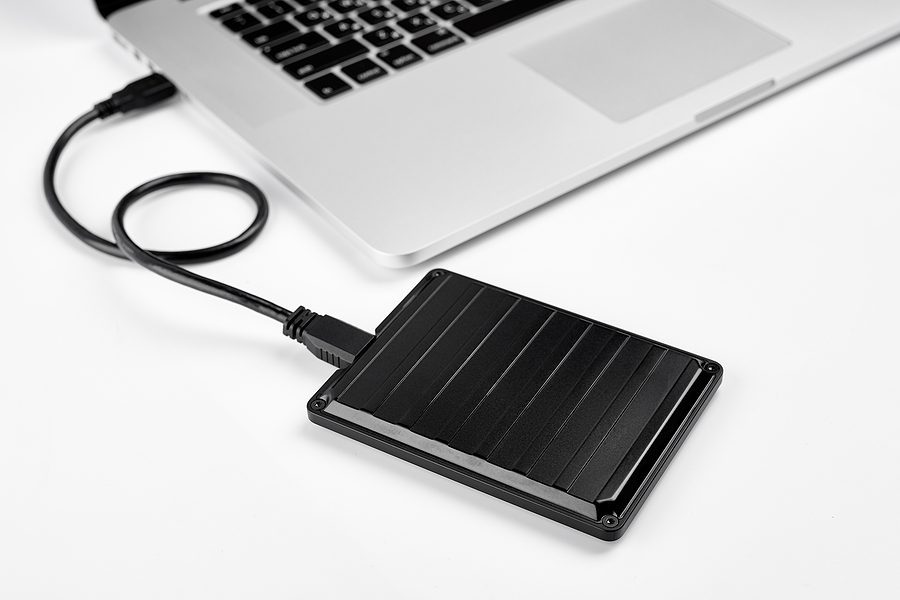
An external hard drive is a portable storage device. It connects to a computer via USB or other ports. Ideal for backing up data, it offers extra space for files, photos, and videos.
External hard drives are essential tools for anyone looking to expand their digital storage capacity. Whether you’re a student, professional, or a tech enthusiast, understanding the basics of these devices can empower you to make better decisions about managing your data. Let’s dive into the fundamental aspects of external hard drives and explore why they might be the right solution for your storage needs.
What Is An External Hard Drive?
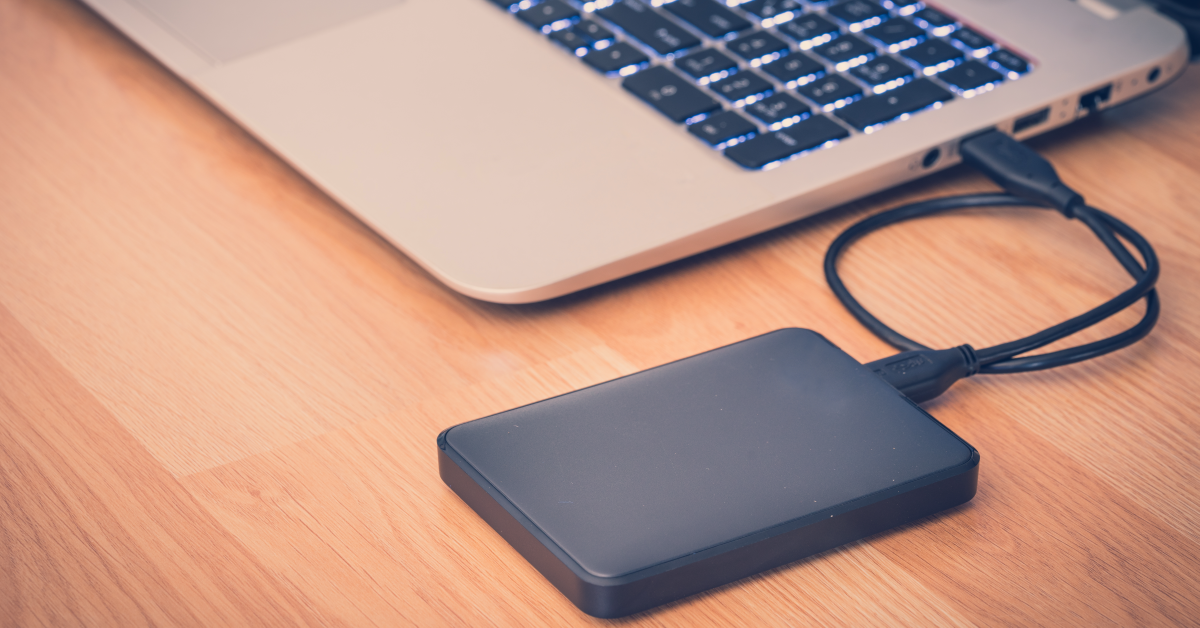
An external hard drive is a portable storage device that connects to your computer via USB, Thunderbolt, or other interfaces. It functions similarly to the internal hard drive in your computer but offers the flexibility of being removable and transportable. This makes it an ideal choice for backing up important files or expanding your storage without opening up your computer.
How Does It Work?
External hard drives store data magnetically or using solid-state technology. You plug it into your computer, and it appears as an additional drive where you can save, transfer, and access files. It’s like having a giant USB stick with much more capacity and reliability. Have you ever wished you could quickly move large video files or a hefty photo library? An external hard drive makes this easy. There are mainly two types: HDDs (Hard Disk Drives) and SSDs (Solid State Drives). HDDs are generally cheaper and offer more storage space but are slower and more prone to physical damage. SSDs, on the other hand, are faster and more durable but come at a higher price. Think about what matters more to you: speed or storage capacity?
Benefits Of Using An External Hard Drive
External hard drives offer numerous benefits. They provide extra storage space for your growing collection of photos, videos, and music. They also serve as a convenient backup solution, ensuring your files are safe if your computer crashes. Ever lost a crucial document because your computer failed unexpectedly? With an external hard drive, those worries can be a thing of the past.
Considerations When Choosing An External Hard Drive
When selecting an external hard drive, consider factors like storage capacity, speed, price, and compatibility with your devices. Also, think about how you will use it. Will it sit on your desk, or do you need something portable? How much storage do you foresee needing in the future? Your answers will guide you to the right choice. In your quest to manage your digital life, external hard drives can be a trusty ally. By understanding their basics, you can make informed choices and ensure your data is always at your fingertips. What will you do with your newfound storage freedom?
Types Of External Hard Drives
External hard drives are essential for expanding storage. They come in various types, each offering unique features. Understanding these types helps you choose the best fit for your needs.
Traditional Hdd
Traditional hard disk drives, or HDDs, use spinning disks to store data. They are often more affordable compared to other options. HDDs have been around for decades and are widely trusted. They offer large storage capacities, perfect for backing up files. HDDs can be slightly slower in accessing data due to their mechanical parts.
Solid State Drives (ssd)
Solid State Drives, known as SSDs, are faster than HDDs. They use flash memory to store data, without moving parts. This makes them more reliable and quicker in data access. SSDs are often more expensive but provide better performance. They are ideal for tasks requiring quick data retrieval.
Portable Vs Desktop Drives
Portable drives are compact and easy to carry. They connect via USB and require no external power source. Ideal for people needing storage on the go. Desktop drives are larger and often require external power. They offer more storage and are great for home use. Choosing between portable and desktop depends on your storage needs.
Key Features To Consider
Choosing the right external hard drive can be a game-changer for your digital life. Whether you’re backing up crucial files or expanding your storage space, understanding key features is essential. You wouldn’t want to invest in something that doesn’t meet your needs, right? Let’s explore what to look for in your next external hard drive.
Storage Capacity
How much space do you really need? Storage capacity is the heart of an external hard drive. If you’re a photographer or a gamer, you might require several terabytes. For everyday use, a few hundred gigabytes could suffice. Remember, you can always add more storage, but choosing too little at the start might limit you.
Transfer Speed
No one likes waiting for files to transfer. Transfer speed is crucial for efficiency. Look for USB 3.0 or USB-C connections for faster data transfer. If you often move large files, a faster speed can save you valuable time. Ask yourself: is your current setup slowing you down?
Durability And Build Quality
How often do you travel with your hard drive? If it’s frequently on the move, durability matters. Opt for drives with sturdy casings and shock resistance. A well-built device is less likely to fail after a minor drop. It’s like buying insurance for your digital memories.
Compatibility With Devices
Imagine buying a shiny new hard drive, only to find it’s incompatible with your computer. Frustrating, right? Ensure the drive supports your operating system, whether it’s Windows, macOS, or Linux. Some drives even offer cross-platform compatibility, making them versatile for any tech setup you own.
Choosing the right external hard drive involves more than picking the biggest or fastest option. Consider your personal needs and how each feature will affect your daily use. What do you prioritize in your tech purchases? Let that guide you in making a smart choice.
Benefits Of Using External Hard Drives
External hard drives have become indispensable tools for anyone needing additional storage. Whether you’re a student juggling assignments or a professional managing digital projects, these devices offer practical solutions. But what are the real benefits of using external hard drives? Let’s dive into the details and see how they can enhance your digital life.
Expanded Storage Space
Ever tried saving a large file only to see the dreaded “Storage Full” message? External hard drives solve this issue by offering vast storage capacities—some up to several terabytes. Imagine having space to store thousands of photos, videos, and documents without a hitch. You can keep your internal drive free for essential system tasks, ensuring a smoother computing experience. No more deleting files just to make room for new ones.
Data Backup And Security
Think about the panic of losing important files due to a computer crash. External hard drives provide a reliable backup solution, keeping your data safe and sound. They offer peace of mind, knowing your precious memories and essential documents are secure. Plus, many models come with encryption features, adding an extra layer of security. Who wouldn’t want to safeguard their data against unforeseen disasters?
Ease Of Use And Portability
Gone are the days of cumbersome storage solutions. External hard drives are user-friendly and portable. You simply plug them into your computer via USB, and you’re good to go. Their lightweight design means you can carry them anywhere—from your office to a weekend getaway. Picture yourself editing a video on the go or sharing files with friends effortlessly. They make digital life more convenient and stress-free.
Have you experienced the benefits of using an external hard drive yet? Consider how they could streamline your storage and backup needs today. Whether for work, study, or leisure, they are a worthy addition to your tech arsenal.
How To Choose The Right External Hard Drive
Choosing the right external hard drive is like picking the perfect travel companion. It needs to match your pace, store memories, and handle the bumps along the way. But how do you make the right choice? Whether you’re a student, a professional photographer, or just someone looking to back up precious memories, selecting the best external hard drive can be a game-changer. Let’s dive into the essentials of finding the one that fits your needs.
Assessing Personal Needs
Start by asking yourself, what do you need the external hard drive for? Is it to store large video files, or perhaps to keep your massive photo collection safe? Understanding your personal needs will help you narrow down options. If you’re a gamer, you might need more storage space and faster speeds. If you’re a student, a smaller, more portable drive might suffice. Consider what files you’ll store and how often you’ll access them. This will guide you in choosing the right capacity and speed.
Budget Considerations
Your budget plays a crucial role in your decision. While it’s tempting to go for the cheapest option, remember that you often get what you pay for. A higher price might mean better quality and reliability. Take a moment to think about how much you’re willing to spend. A good rule of thumb is to balance cost with the features you genuinely need. Are you willing to pay a little extra for faster access times or larger storage capacity? Weigh the benefits against your budget to find the sweet spot.
Brand And Warranty Options
Brand reputation and warranty options can affect your choice significantly. Consider brands that have a good reputation for reliability and customer service. A well-known brand often means better support if something goes wrong. Look at the warranty options they offer. Does the brand offer a warranty that covers at least a couple of years? This can provide peace of mind, knowing that your investment is protected. Have you had a positive experience with a particular brand before? That might be a good place to start.
Choosing the right external hard drive doesn’t have to be overwhelming. By assessing your personal needs, considering your budget, and looking into brand and warranty options, you can make an informed decision. Remember, the right choice will keep your data safe and accessible, making your digital life more organized and worry-free.
Setting Up And Using An External Hard Drive
External hard drives offer extra storage for computers, allowing users to save and access large files easily. They connect via USB, providing a convenient way to back up important data. Perfect for storing photos, videos, and documents without cluttering your computer’s main drive.
Setting up and using an external hard drive can transform how you manage your data. Whether you’re a student needing extra storage for assignments, a photographer with a library of high-resolution images, or a gamer wanting quick access to your favorite titles, an external hard drive can be your best friend. It’s crucial to understand the installation process, data management tips, and common troubleshooting techniques to maximize its potential. Let’s dive into the details.
Installation Process
Getting started with your external hard drive is simpler than you might think. First, ensure your device is compatible with your computer’s operating system. Most modern external hard drives support Windows, macOS, and Linux, but checking compatibility is a smart move. Plug the external hard drive into your computer using a USB or Thunderbolt cable. You’ll typically see it pop up on your desktop or in your file explorer. If it’s your first time using the drive, you may need to format it. Right-click on the drive icon and select ‘Format’, choosing the file system compatible with your computer. After formatting, your drive is ready for use. It’s as easy as dragging and dropping files into the drive, just like transferring files within your computer. Did you ever think transferring gigabytes could be so straightforward?
Data Management Tips
Managing data on your external hard drive doesn’t have to be overwhelming. Start by organizing your files into folders. Create specific folders for documents, photos, videos, and any other categories you frequently access. Use a naming convention that makes sense to you. This could be by date, project name, or any system that helps you locate files quickly. Regularly back up important files to avoid losing crucial data. Consider using synchronization software to keep files updated across devices. This way, if you edit a document on your laptop, the changes will reflect on the external drive. Isn’t it comforting to know your data is always up-to-date?
Troubleshooting Common Issues
External hard drives, like any tech gadget, can sometimes act up. If your drive isn’t showing up on your computer, check the connections first. Is the cable plugged in properly? Try a different USB port or cable to rule out physical connection issues. Check for software updates. Outdated drivers can cause compatibility issues. Visit the manufacturer’s website to download the latest updates for your device. If the drive is slow or unresponsive, it might be time to defragment or run a disk cleanup. You can use built-in tools on your operating system for this task. Isn’t it satisfying to solve a problem with just a few clicks? In case of persistent issues, consider reaching out to tech support for your external drive’s brand. They can offer specialized advice tailored to your situation. What if a small tweak could make your device run like new again? Setting up and managing an external hard drive efficiently can simplify your digital life. It’s not just about storage—it’s about having peace of mind knowing your data is secure and accessible. Are you ready to harness the full potential of your external hard drive?
Future Trends In External Storage Solutions
External hard drives offer convenient, portable storage for files and data. These devices connect to computers, providing extra space for media, documents, and backups. Future trends highlight smaller, faster, and more secure options, ensuring efficient data management.
In the world of data storage, external hard drives play a vital role. They provide a convenient way to store large amounts of data. As technology evolves, external storage solutions are becoming more advanced. Let’s explore future trends in this area.
Advancements In Technology
External hard drives are getting faster and more efficient. New technologies like solid-state drives (SSD) are replacing traditional hard drives. SSDs offer quicker data access and lower power consumption. Their compact size is ideal for portable storage needs. Another trend is the use of USB-C connections. This offers faster data transfer speeds. It also allows for universal compatibility across devices.
Integration With Cloud Storage
Many external hard drives now integrate with cloud storage. This provides a hybrid solution for data storage. Users can store some data locally and backup others in the cloud. It offers added security and accessibility. Cloud integration also enables easy file sharing. Users can access files from anywhere with an internet connection.
Emerging Security Features
Security is a growing concern for data storage. New external hard drives include advanced security features. Some drives use hardware encryption to protect data. This ensures data remains secure even if the drive is lost. Biometric authentication is another feature gaining popularity. It provides access control using fingerprints or facial recognition. These features ensure that only authorized users can access sensitive data.

Credit: www.minitool.com
Credit: www.sweetwater.com
Frequently Asked Questions
What Should You Not Do With An External Hard Drive?
Avoid dropping or exposing the external hard drive to moisture. Do not disconnect it improperly. Never overload it with data. Avoid exposing it to extreme temperatures. Do not ignore regular backups.
What Are The Disadvantages Of An External Hard Disk?
External hard disks are prone to physical damage. They can suffer data loss due to accidental drops or shocks. Connectivity issues might arise if the USB port fails. They require manual backups, which can be inconvenient. They are less secure than cloud storage, posing risks to sensitive data.
Does An External Hard Drive Make Your Computer Faster?
An external hard drive does not make your computer faster. It provides additional storage space, freeing up internal hard drive space, which may slightly improve performance. Speed improvements come from upgrading RAM or using SSDs for faster data access. External drives help in organizing files but don’t directly enhance speed.
Should You Have An External Hard Drive?
An external hard drive is essential for extra storage, data backup, and easy file transfers. It enhances data security, offering peace of mind. Regular backups prevent data loss, ensuring important files remain safe. Investing in one is a smart move for anyone needing reliable, additional storage solutions.
Conclusion
An external hard drive is a useful tool for storing extra data. It offers a simple solution when internal storage runs low. Easy to set up and use. Portable, so you can carry files anywhere. Ideal for backing up important documents.
Perfect for storing photos, videos, and music. No need for internet access. Just plug in and access files quickly. Many options available to suit different needs. Prices vary, but there’s a drive for every budget. A great investment for anyone needing more space.
Consider getting one to keep your files safe and organized.