
Are you tired of squinting at your computer screen or frustrated by blurry images while gaming or working? Choosing the right monitor resolution can transform your viewing experience, making everything clearer and more vibrant.
But what exactly is a good resolution for a computer monitor? With so many options available, finding the perfect fit might feel overwhelming. Don’t worry; we’re here to help you make sense of it all. By the end of this article, you’ll have a clear understanding of what resolution suits your needs, ensuring you enjoy every pixel to its fullest potential.
Get ready to discover how the right resolution can change the way you see your digital world.

Credit: www.pcmag.com
Choosing The Right Monitor Resolution
Selecting the best monitor resolution enhances your viewing experience. A resolution of 1920×1080 suits most users. For clearer and sharper images, consider higher resolutions like 2560×1440 or 4K.
Choosing the right monitor resolution can greatly enhance your computing experience. Whether you’re a gamer, a professional designer, or someone who loves binge-watching shows, the clarity and sharpness of your monitor can make all the difference. But how do you decide which resolution is best for you? Let’s dive in to explore the importance and impact of monitor resolution on your daily activities.
Importance Of Monitor Resolution
Monitor resolution is a crucial aspect of your computer setup. It determines the number of pixels displayed on your screen. Higher resolution means more pixels and sharper images. Imagine working on a spreadsheet. A higher resolution allows you to see more rows and columns without scrolling. This can boost your productivity. A good resolution also matters if you watch videos or play games. It delivers vivid colors and finer details, making your experience more immersive.
Impact On User Experience
The resolution of your monitor directly affects your user experience. Have you ever felt eye strain after staring at your screen for too long? A lower resolution might be the culprit. If you’re editing photos or videos, a higher resolution offers better accuracy. You can see the finer details, allowing for precise editing. Have you thought about how your gaming experience changes with different resolutions? A higher resolution can provide smoother gameplay and make virtual worlds more realistic. Choosing the right resolution isn’t just about numbers. It’s about how these numbers impact your daily tasks and leisure activities. So, what are your specific needs when it comes to monitor resolution?
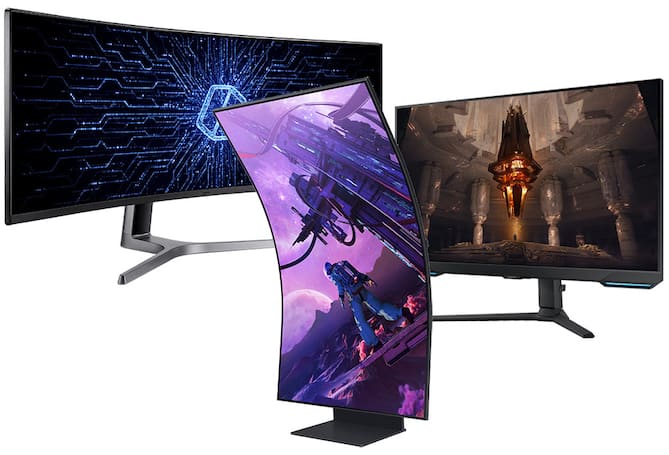
Credit: www.bestbuy.com
Standard Monitor Resolutions
Choosing the right monitor resolution enhances your viewing experience. It ensures sharp visuals and clarity. Different resolutions cater to various needs. Let’s explore the common resolutions available today.
720p And 1080p
720p is often called HD. It provides a resolution of 1280×720 pixels. Suitable for basic tasks and streaming videos. It is a good option for small screens. 1080p, or Full HD, has 1920×1080 pixels. It delivers clearer images than 720p. It is ideal for gaming and watching movies. Many users find 1080p perfect for everyday use.
1440p And 4k
1440p, known as Quad HD, offers 2560×1440 pixels. It is a popular choice for gamers and designers. It provides better detail than 1080p. 4K resolution boasts 3840×2160 pixels. It delivers stunning visuals with incredible detail. 4K is perfect for large screens and professional work. People love 4K for its immersive experience.
Beyond 4k: 5k And 8k
5K resolution offers 5120×2880 pixels. It is ideal for photo and video editing. It provides precise detail for professionals. 8K resolution, with 7680×4320 pixels, is the pinnacle of clarity. It is mostly used for high-end displays and advanced applications. Both 5K and 8K deliver unmatched quality. They are perfect for those seeking ultimate resolution.
Factors Influencing Resolution Choice
Choosing the right resolution for a computer monitor is crucial. It affects your viewing experience significantly. Several factors influence this decision, ensuring you get optimal performance. From usage to budget constraints, each aspect plays a vital role.
Purpose And Usage
The primary use of your monitor dictates resolution needs. Gaming enthusiasts often prefer higher resolutions. This offers detailed graphics and smoother gameplay. For office work, a moderate resolution suffices. It ensures clear text and reduces eye strain. Creative professionals might need the highest resolution. This enhances detail in design and editing tasks.
Screen Size And Viewing Distance
Monitor size impacts resolution choice. Larger screens benefit from higher resolutions. It prevents pixelation and offers a crisp image. Smaller monitors might not need such high resolutions. Viewing distance also matters. Sitting close to the screen demands better resolution. Sitting farther allows for lower resolutions without losing clarity.
Budget Considerations
Your budget often influences resolution decisions. Higher resolutions usually come with a higher price tag. Balancing quality with cost is essential. Investing wisely ensures you get the best value. A mid-range resolution can offer good performance. It provides a balance between expense and quality.
Resolution And Gaming
When you dive into the world of gaming, the resolution of your computer monitor plays a crucial role in your experience. It’s not just about the sharpness of the images; it’s about how immersive and engaging the gameplay becomes. Have you ever noticed how a game feels entirely different when you switch to a higher resolution? It’s like stepping into a new realm. Let’s explore how resolution can transform your gaming adventures.
Optimal Resolutions For Gamers
Choosing the right resolution can make or break your gaming experience. For competitive gamers, a resolution like 1080p might be ideal. It offers a balance between speed and clarity.
If you’re into visually stunning games, 1440p or even 4K could be your go-to. These resolutions provide breathtaking detail that makes every game scene come alive. Imagine playing your favorite RPG with such crisp graphics that you feel you’re on the battlefield.
But what’s the best resolution for you? Consider your gaming style and the power of your hardware. The right choice can elevate your experience to new heights.
Performance Vs. Visual Quality
Here’s the dilemma: do you want smoother performance or jaw-dropping visuals? Higher resolutions often demand more from your hardware. This means your computer might struggle to maintain high frame rates.
Think about your priorities. Is it more important for you to have seamless gameplay or stunning visual quality? Some gamers find they sacrifice one for the other, depending on their favorite genres.
Try experimenting with different resolutions to find your sweet spot. You might discover that slightly lowering your resolution can enhance your overall gaming performance without drastically impacting visual quality.
Consider this: would you prefer a game that runs flawlessly or one that looks like a masterpiece? The answer could change how you approach your gaming setup.
Resolution For Creative Professionals
Choosing the right monitor resolution enhances creativity. For professionals, 1920×1080 pixels is standard. It offers clear images and ample space for design work.
When choosing a monitor resolution, creative professionals often have different needs compared to the average user. Whether you’re a graphic designer, video editor, or digital artist, the right resolution can significantly impact your work’s quality. It’s not just about how clear the images look, but also how accurate they are in terms of color and detail.
Design And Media Production Needs
For designers and media producers, resolution is more than just pixels on a screen. It’s about having the space to see and manipulate your projects with ease. A 4K resolution monitor, for instance, offers a vast canvas to work with, allowing multiple windows and tools to be open simultaneously without crowding. Consider the time you spent squinting at tiny details or constantly zooming in and out of your design software. A high-resolution monitor can alleviate these issues, making your workflow smoother and more efficient. Ask yourself if your current setup allows you to work comfortably or if it hinders your creativity.
Color Accuracy And Detail
Color accuracy is crucial for creative professionals. Imagine spending hours perfecting a design, only to find the colors look completely different when printed. High-resolution monitors often come with better color calibration, ensuring what you see is what you get. Detail is another critical factor. If you’re working on intricate designs or high-definition videos, a higher resolution can reveal details that a lower resolution might miss. This level of precision can make a significant difference in your final output. You might recall a time when you had to redo work because of color discrepancies. A monitor with good resolution and color accuracy could have saved you that hassle. Does your current monitor meet your standards, or is it time to upgrade for better results? Choosing the right resolution isn’t just a technical decision; it’s about enhancing your ability to create stunning work. Whether it’s seeing more of your project at once or ensuring every shade is just right, the right monitor resolution can be a game-changer.
Resolution And Productivity
A good monitor resolution can significantly boost your productivity. It isn’t just about how clear your screen looks; it’s about how much you can do on it. Have you ever wondered if your screen resolution is holding you back at work?
Multi-tasking And Workspace Efficiency
When you’re juggling multiple tasks, screen real estate is your best friend. A higher resolution means more pixels, allowing you to fit more applications, documents, or browser tabs on your screen simultaneously.
Think of it like a larger desk. The more space you have, the more organized you can be. You can have your email open while you review a spreadsheet and still have room for a video call.
When I upgraded to a higher resolution monitor, I noticed a dramatic shift in how I managed my daily tasks. No more switching back and forth between windows. It felt like a breath of fresh air.
Resolution For Office Work
For office tasks like word processing or spreadsheet analysis, a resolution of 1920×1080 (Full HD) is often enough. It provides a clear display for reading and editing documents.
However, if you work with detailed graphics or need to analyze large data sets, a higher resolution like 2560×1440 (QHD) or even 3840×2160 (4K) might be more beneficial. These resolutions provide sharper text and images, reducing eye strain during long hours of work.
Have you ever found yourself squinting at small text or struggling to fit all your data on one screen? Upgrading your monitor resolution could be the solution.
Consider your daily tasks and what you need from your screen. A resolution that matches your work style can improve your efficiency and comfort. What’s your current resolution, and is it meeting your needs? It might be time for an upgrade.
Future Trends In Monitor Resolution
Exploring future trends reveals that 4K and 5K resolutions are becoming standard for computer monitors. With sharper and more detailed images, these resolutions offer an immersive experience for users, enhancing both work and entertainment.
As technology advances, the resolution of computer monitors is rapidly evolving. You might wonder how this affects your daily digital experiences. From sharper images to more immersive gameplay, future trends in monitor resolution promise to redefine how you interact with your devices. But what does this mean for you, and how will these developments shape the market?
Emerging Technologies
Cutting-edge display technologies are pushing boundaries like never before. OLED and MicroLED are leading the charge with their stunning color accuracy and contrast ratios. Imagine watching your favorite movie with colors so vivid they seem to leap off the screen. Quantum dot technology is also gaining traction. It enhances color precision and brightness, providing an eye-popping visual experience. You’ll find yourself drawn into your digital world as though you were right there in the action. New resolutions like 8K are on the horizon, promising even more detail. But ask yourself: is your current hardware ready to support this leap? Upgrading might be necessary to fully appreciate what these technologies offer.
Market Predictions
The market is shifting as more consumers demand high-resolution displays. Manufacturers are responding with a variety of options, from ultra-wide screens to curved displays that enhance immersion. You’ll see more choices than ever, catering to diverse needs and preferences. Prices for high-resolution monitors are becoming more competitive. As technology advances, older models drop in price, making high-quality displays more accessible. This might be the perfect time to invest in a better monitor without breaking the bank. But consider this: how do you decide which resolution is right for you? Higher isn’t always better. Think about your primary use – gaming, graphic design, or general browsing – and choose a resolution that complements your activities. The future of monitor resolution is bright, offering exciting possibilities for your digital experience. Are you ready to embrace the changes and enhance your interaction with technology?

Credit: www.hp.com
Frequently Asked Questions
What Resolution Should I Set My Monitor To?
Set your monitor to its native resolution for optimal clarity and performance. Check your display settings for recommended options. Common resolutions include 1920×1080 for Full HD or 2560×1440 for QHD. Adjust according to your monitor’s specifications for the best viewing experience.
What Is Better, 1920×1080 Or 2560×1440?
2560×1440 offers better image clarity and detail than 1920×1080. It suits larger screens and gaming enthusiasts. 1920×1080 is sufficient for standard tasks and smaller monitors. Choose based on your screen size and usage needs.
What Resolution Is Best For A 27 Inch Monitor?
The best resolution for a 27-inch monitor is 2560×1440 pixels. This provides sharp visuals and optimal screen space. It’s perfect for gaming, professional work, and multimedia tasks, offering clarity and detail. For enhanced performance, choose a monitor with a high refresh rate.
What Monitor Resolution Is Best For Eyes?
A monitor resolution of 1920×1080 (Full HD) is optimal for eye comfort. It offers clear visuals without excessive strain. Ensure proper brightness and contrast settings for better eye health. Regular breaks and good lighting also help reduce eye fatigue.
Conclusion
Choosing the right monitor resolution matters. It affects your viewing experience. Higher resolutions offer clearer images. They show more details on the screen. But, they need powerful hardware. Lower resolutions work for basic tasks. They save computer resources. Think about your needs.
Consider what you do most on your computer. Gaming, designing, or simple browsing? Each has different resolution requirements. Your monitor size also plays a role. Larger screens need higher resolutions. Smaller screens can manage with less. Balancing resolution with performance ensures satisfaction.
Pick wisely for your best experience.